See your options side by side
Choose one task and 2–4 tools. Compare pricing, output, test results and trust.
Test scope & comparison notes
These are recorded facts, not a unified ranking. Tested tiers and scope are not consistently recorded. Read pricing with its date and timing with its conditions. Privacy observations reflect visible flows and statements, not a security audit.
Cross-task capability coverage across selected products
Each product is scored independently per task edge; switch tasks below while keeping shared products selected| Task edge | tools.hellokeyboard.com | aconvert.com | Switch / compare |
|---|---|---|---|
| Image compression | 92/100 JPEG · Output attached | 86/100 2048 × 2048 · PNG | Active task |
| PDF to Word | Not tested in topic | 79/100 DOCX · Output attached | Compare in task topic → |
| PDF compression | Not tested in topic | 96/100 PDF · Output attached | Compare in task topic → |
| Video compression | Not tested in topic | 85/100 MP4 · Output attached | Compare in task topic → |
Select at least 2 tools to compare
You can also filter a task page first, then compare your shortlist.
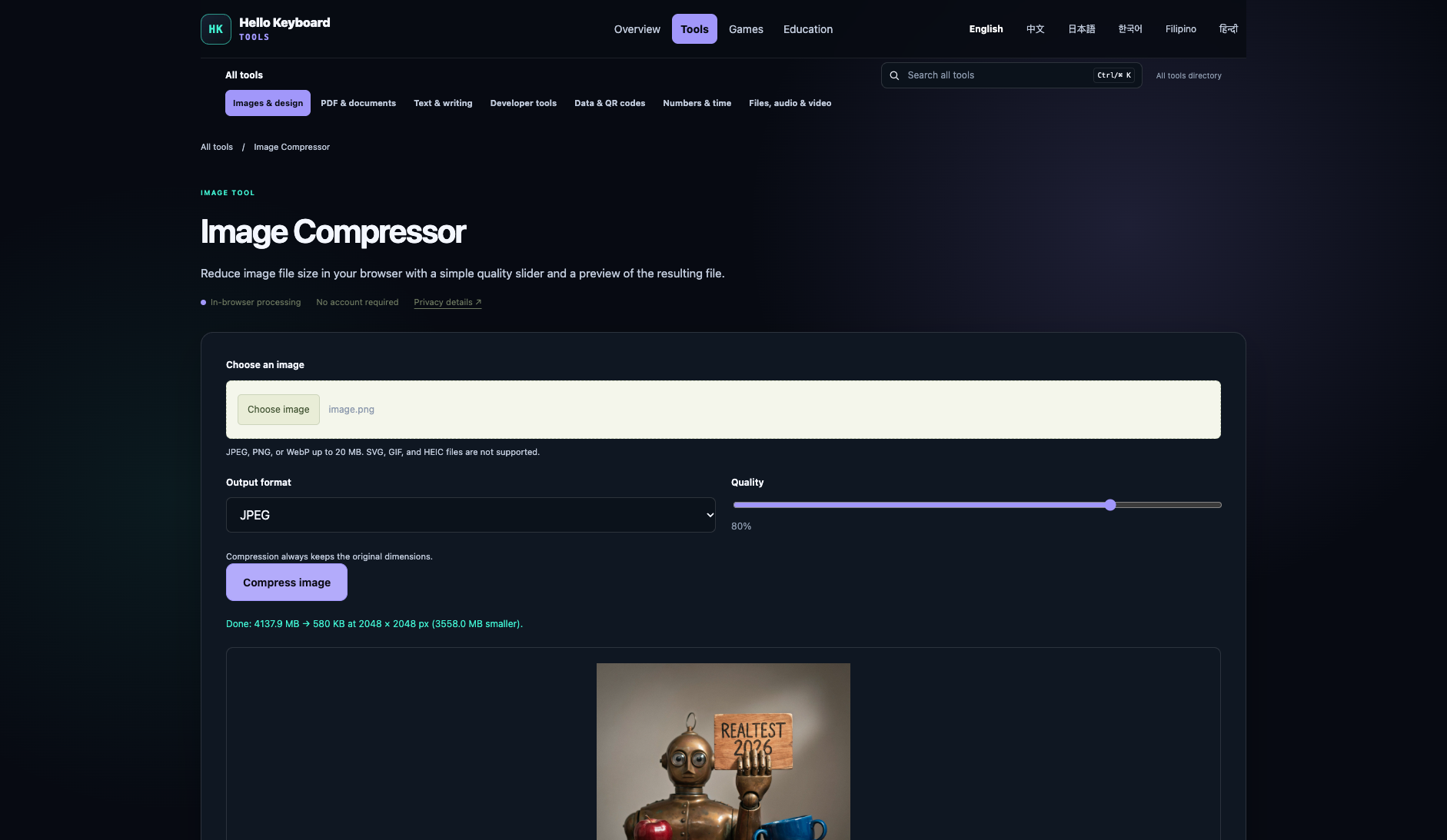
Browse this task →| Criterion | Hello Keyboard Tools Image compression 92/100 Seven-aspect task score Hello Keyboard Tools is a free, login-free client-side image compressor that achieves an 85.99% volume reduction (4.14 MB to 580 KB) in only 250ms at default 80% quality, reaching 42.34 dB PSNR and 0.9992 SSIM with complete local privacy and instant turnaround; as it defaults to JPEG output, users requiring transparency for PNG inputs should select the WebP format. Tested export JPEG · Output attached Historical test · 2026-11-06 | Aconvert Image compression 86/100 Seven-aspect task score 100% free with no login, reducing the 4.14 MB anchor by 56.5% to 1.80 MB at PSNR 36.1 dB with full-resolution unwatermarked output. Tested export 2048 × 2048 · PNG Historical test · 2026-11-01 |
|---|---|---|
| Pricing & rules | ||
| Pricing plans | Hello Keyboard Tools site-wide free utilities · 2026-11-06 Plan · source date Monthly / one-time Annual bill / period Quota & limits Web Free2026-11-06 ↗ Free Free Free Free use across all utilities without registration; supports up to 20 MB per file depending on the tool 1 plan / billing-period records, all listed; — means that period is not recorded. The official site declares tools are free to use, require no login, no subscription, with files primarily processed locally in the browser. Cancellation, sources & verification recordCompletely free utility suite; no subscription or cancellation required. Hello Keyboard Tools homepage declaration and tool directory ↗ · 2026-11-06 Capture 1 ↗ Hello Keyboard Tools privacy and processing policy ↗ · 2026-11-06 Capture 1 ↗ | Aconvert 100% free file conversion and compression service · 2026-11-01 Plan · source date Monthly / one-time Annual bill / period Quota & limits Free2026-11-01 ↗ Free Free Free 100% free without login, 40MB per file, up to 10 files per batch Full access to multi-format conversion and compression across documents, media, eBooks, and archives;40MB per-file limit, 10 files per batch, display ads present;Permanently free, no renewal;Perpetual access 1 plan / billing-period records, all listed; — means that period is not recorded. All conversion and compression features are 100% free with ad and voluntary donation support; 40MB per-file limit (up to 10 files per batch) with zero paid plans or paywalls. Cancellation, sources & verification recordCancellation and refund terms unverified Aconvert Official Homepage ↗ · 2026-11-01 Capture 1 ↗ Aconvert About and Free Model ↗ · 2026-11-01 Capture 1 ↗ |
| Free & trial allowance on the test date | Completely free, no quota limits, pure client-side single-image processing (up to 20 MB) | Completely free, 40MB per file limit, up to 10 files per batch |
| Cancellation & refunds | Completely free utility suite; no subscription or cancellation required. | Not verified |
| Disclosure of costs & limits | Page transparently outlines format choices and quality controls | Compression parameters and instructions clearly disclosed on page |
| Task quality | ||
| Measured fixture results | File reduction: 85.99% · Output size: 579.8 KB | File reduction: 56.5% · Output size: 1800.1 KB |
| Fixture findings | Under the 2048px standard anchor, Hello Keyboard Tools exports a 2048x2048 full-resolution native JPEG at default settings, achieving 42.34 dB PSNR, 0.9992 SSIM, and 85.99% file size reduction with pure client-side Canvas offline processing in 250ms. | Over 50% size reduction while preserving 2048px resolution and transparency; solid quality and easy to use. |
| Original historical observation | Hello Keyboard Tools uses client-side Canvas encoding to compress 4.14 MB down to 579.8 KB (-86.0%) at default 80% quality, achieving 42.34 dB PSNR and 0.9992 SSIM in only 250ms. | Aconvert processes compression on cloud servers, reducing the 4.14 MB anchor by 56.5% to 1.80 MB under default Lossy 80 while maintaining SSIM 0.9966 and preserving micro-textures. |
| Suitable uses · historical assessment | Users needing fast local image compression without uploads, prioritizing privacy, and accepting JPEG/WebP formats | Users and webmasters needing fast free image compression while preserving transparency and 2048px original resolution |
| Result & output evidence | ||
| Delivery capabilities | ||
| Recorded export specifications | JPEG · Output attached · No watermark in test | 2048 × 2048 · PNG · No watermark in test |
| Historical specification note · not an official maximum | 2048 × 2048 (preserving native dimensions) | 2048 x 2048 (Full-resolution unwatermarked PNG) |
| Watermark observation | No watermark | No watermark |
| Batch & API | Interactive single-file processing, up to 20 MB per file | Supports up to 10 files concurrent upload with multi-format conversion |
| Recorded free-tier dimensions | 2048 × 2048 | 2048 × 2048 |
| Attached file dimensions | Not verified | 2048 × 2048 · PNG |
| Speed & reliability | ||
| Timing observation | Recorded local processing time: 0.25s · End-to-end reference: 0.25s | Network-observed server wait: 11.2s · End-to-end reference: 14.7s |
| Date & fixture | 2026-11-06 · anchor_compress_v1 · US-West (California, AS2914) | 2026-11-01 · anchor_compress_v1 · US-West (California, AS2914) |
| Repeated tests & reliability | No standardized repetition count, success rate or variability range is recorded. | No standardized repetition count, success rate or variability range is recorded. |
| Interaction experience | ||
| Account requirements | No login in this test | No login in this test |
| Sign-in methods | All features available directly without registration or login | All platform features accessible directly without registration or login |
| Manual adjustment | Not verified | Not verified |
| Interaction observations | Not verified | Not verified |
| Background & reputation | ||
| Service lifecycle notice | Not verified | Not verified |
| Operator | Not verified | Aconvert Project (PDFConvertOnline.com) |
| Recorded origin | Not verified | United States |
| Domain history record | Not verified | Development team active since 2000 |
| Background & reputation assessment | Not verified | Not verified |
| External reputation record | Not verified | Not verified |
| Engineering & privacy | ||
| Processing location | On-device processing | Uploaded for cloud processing |
| Third-party tracking record | Google Analytics · Cloudflare Web Analytics | Google AdSense · Google Analytics |
| Engineering & privacy assessment | Not verified | Not verified |
| Retention statement | This flow runs locally; post-close deletion not independently verified | Claims deletion within 2 hours; deletion not independently verified |
| Evaluation basis | ||
| Pricing transparency | ||
| Interaction restraint | ||
| Background & reputation | ||
| Engineering & privacy | ||
| Task quality | 58 / 65 Size Reduction: -85.99% (4137.9 KB → 579.8 KB, 7.14× ratio) · PSNR: 42.34 dB · SSIM: 0.9992 | 56 / 65 Size Reduction: -56.5% (4137.9 KB → 1800.1 KB, 2.3× ratio) · PSNR: 36.1 dB · SSIM: 0.9966 |
| Deliverable specifications | 18 / 20 Watermarked or blocked free export (0/8); Export spec: 2048 × 2048 (preserving native dimensions) | 20 / 20 Clean unwatermarked export (8/8); Export spec: 2048 x 2048 (Full-resolution unwatermarked PNG) |
| Processing speed | 15 / 15 Network-observed server wait: 0.25s (API mode: client_side; network upload 0s / end-to-end 0.25s shown for reference only, never penalized) | 8.5 / 15 Network-observed server wait: 11.2s (API mode: cloud_server; network upload 3.5s / end-to-end 14.7s shown for reference only, never penalized) |