See your options side by side
Choose one task and 2–4 tools. Compare pricing, output, test results and trust.
Test scope & comparison notes
These are recorded facts, not a unified ranking. Tested tiers and scope are not consistently recorded. Read pricing with its date and timing with its conditions. Privacy observations reflect visible flows and statements, not a security audit.
Cross-task capability coverage across selected products
Each product is scored independently per task edge; switch tasks below while keeping shared products selectedSelect at least 2 tools to compare
You can also filter a task page first, then compare your shortlist.
Browse this task →| Criterion | Squoosh (Google Chrome Labs) Image compression 97/100 Seven-aspect task score Free, open-source, login-free and ad-free on-device processing suits privacy and fine control; results depend on the chosen codec and settings. Tested export JPEG · Output attached Historical test · 2026-10-18 | TinyPNG Image compression 93/100 Seven-aspect task score Clear free allowances and login-free batch downloads balance PNG size and quality; the tested limits were 20 images at 5MB each, processed in the cloud. Tested export 2048 × 2048 · PNG Historical test · 2026-10-18 |
|---|---|---|
| Pricing & rules | ||
| Pricing plans | Squoosh in-browser local image compressor; open-source free · 2026-10-21 Plan · source date Monthly / one-time Annual bill / period Quota & limits Squoosh Web (Open-source free)2026-10-21 ↗ Free Free Free Completely free without login; local browser processing with no usage-count or file-size hard caps and full-resolution unwatermarked export. 1 plan / billing-period records, all listed; — means that period is not recorded. The official page states that all work runs locally in the browser so images never leave the device; it is an Apache-2.0 open-source tool with no paid tiers or in-app purchases. Cancellation, sources & verification recordCompletely free open-source tool with no accounts or subscription charges. Squoosh official page and open-source notice ↗ · 2026-10-21 Capture 1 ↗ | TinyPNG online optimizer plans (Web Free / Web Pro / Web Ultra); USD · 2026-10-21 Plan · source date Monthly / one-time Annual bill / period Quota & limits Web Free2026-10-21 ↗ Free Free Free Free without login; up to 20 images per session (max 5 MB each) for AVIF/WebP/PNG/JPEG compression and 3 format conversions per session. Web Pro (Annual)2026-10-21 ↗ — Annual price not verified Annual Unlimited image compressions, up to 75 MB file size, folder upload, and ad-free; card displays USD 3.25/month equivalent ("Per month | Billed annually"). Pricing card displays only the USD 3.25/month equivalent ("Billed annually") without printing the annual invoice total on the public page. Web Ultra (Annual)2026-10-21 ↗ — Annual price not verified Annual Unlimited compressions and format conversions, up to 150 MB file size, fastest speed, and ad-free; card displays USD 12.42/month equivalent ("Per month | Billed annually"). Pricing card displays only the USD 12.42/month equivalent ("Billed annually") without printing the annual invoice total on the public page. 3 plan / billing-period records, all listed; — means that period is not recorded. The official /pricing/web page lists Web Free (USD 0, 20 images/session, max 5 MB/file, 3 format conversions/session), Web Pro (displayed as USD 3.25/month billed annually, unlimited compressions, max 75 MB/file), and Web Ultra (displayed as USD 12.42/month billed annually, unlimited compressions and conversions, max 150 MB/file). Because the Web Pro and Web Ultra cards display only rounded monthly equivalents ("Per month | Billed annually") without printing the annual invoice totals on the card, the annual totals are marked unverified. Verification has gaps; unknown prices and quotas are not inferred. Cancellation, sources & verification recordCredit card subscriptions auto-renew annually (with email reminders 1 month and 1 week prior) and can be disabled anytime in the account dashboard; upgrading from Web Pro to Web Ultra refunds remaining Web Pro months. TinyPNG official website and Web subscription pricing page ↗ · 2026-10-21 Capture 1 ↗ · Capture 2 ↗ |
| Free & trial allowance on the test date | Unlimited free forever with no daily count or file size caps | Up to 20 images per day, max 5 MB per file on the free web tier |
| Cancellation & refunds | Completely free open-source tool with no accounts or subscription charges. | Credit card subscriptions auto-renew annually (with email reminders 1 month and 1 week prior) and can be disabled anytime in the account dashboard; upgrading from Web Pro to Web Ultra refunds remaining Web Pro months. |
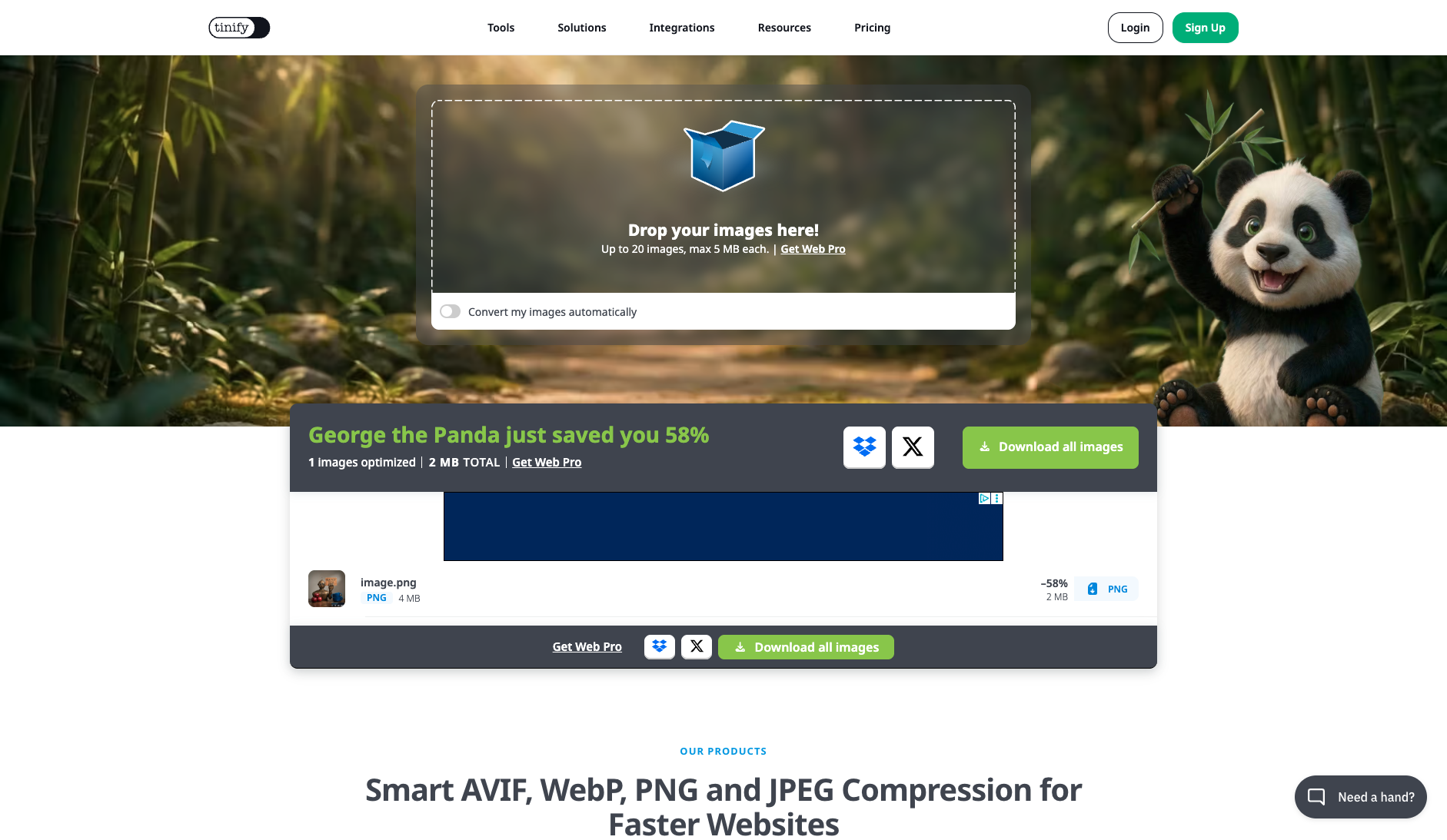
| Disclosure of costs & limits | Original size, compressed size, and reduction percentage are displayed in real time on drop | 5 MB and 20-image limits are printed directly inside the upload dropzone before file selection |
| Task quality | ||
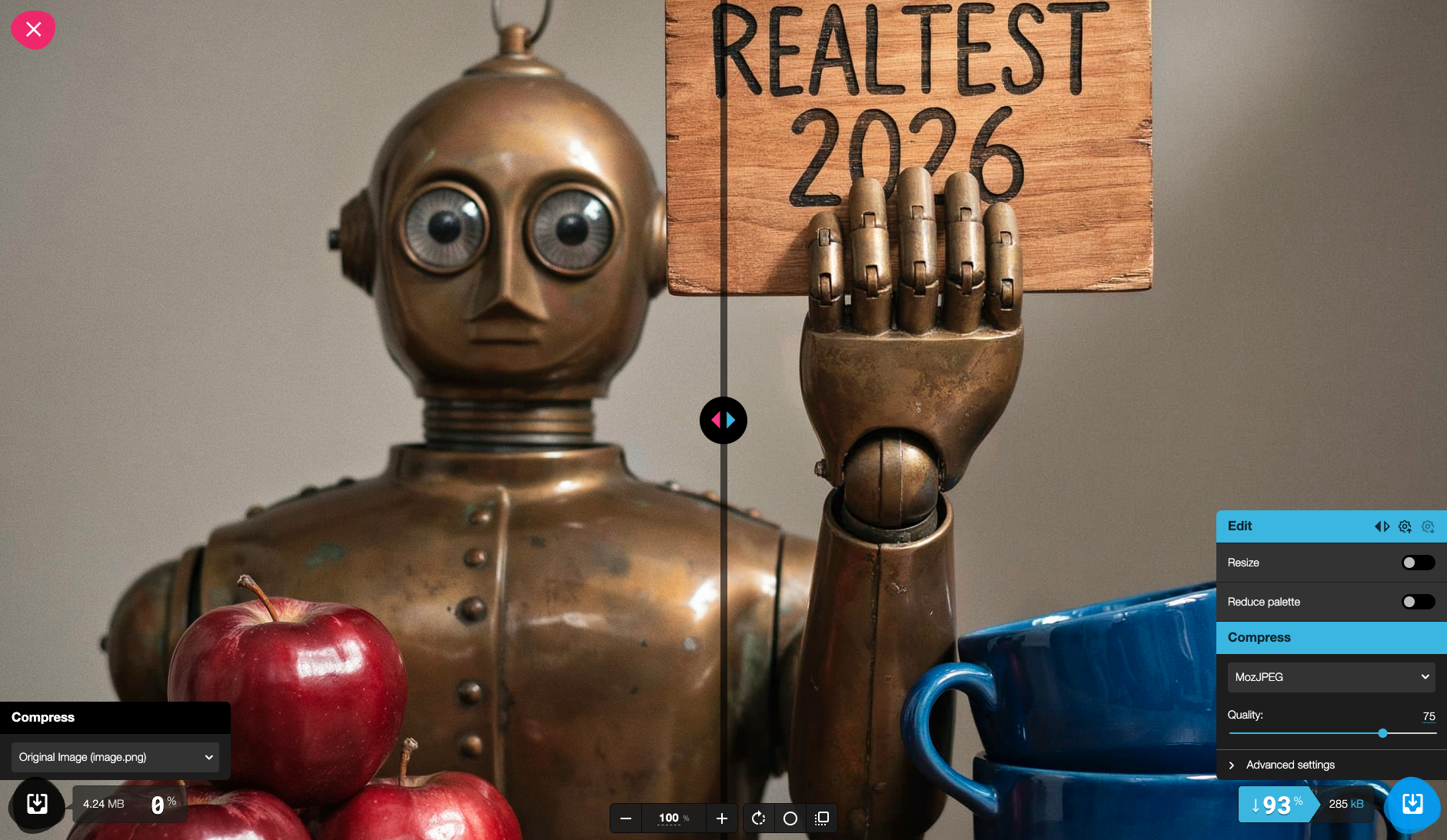
| Measured fixture results | File reduction: 93.26% · Output size: 278.8 KB | File reduction: 57.73% · Output size: 1749 KB |
| Fixture findings | Local processing reduced this fixture by about 93%; results depend on the codec and settings. | Kept PNG format while reducing this fixture by about 58%; check free file-size and quantity limits. |
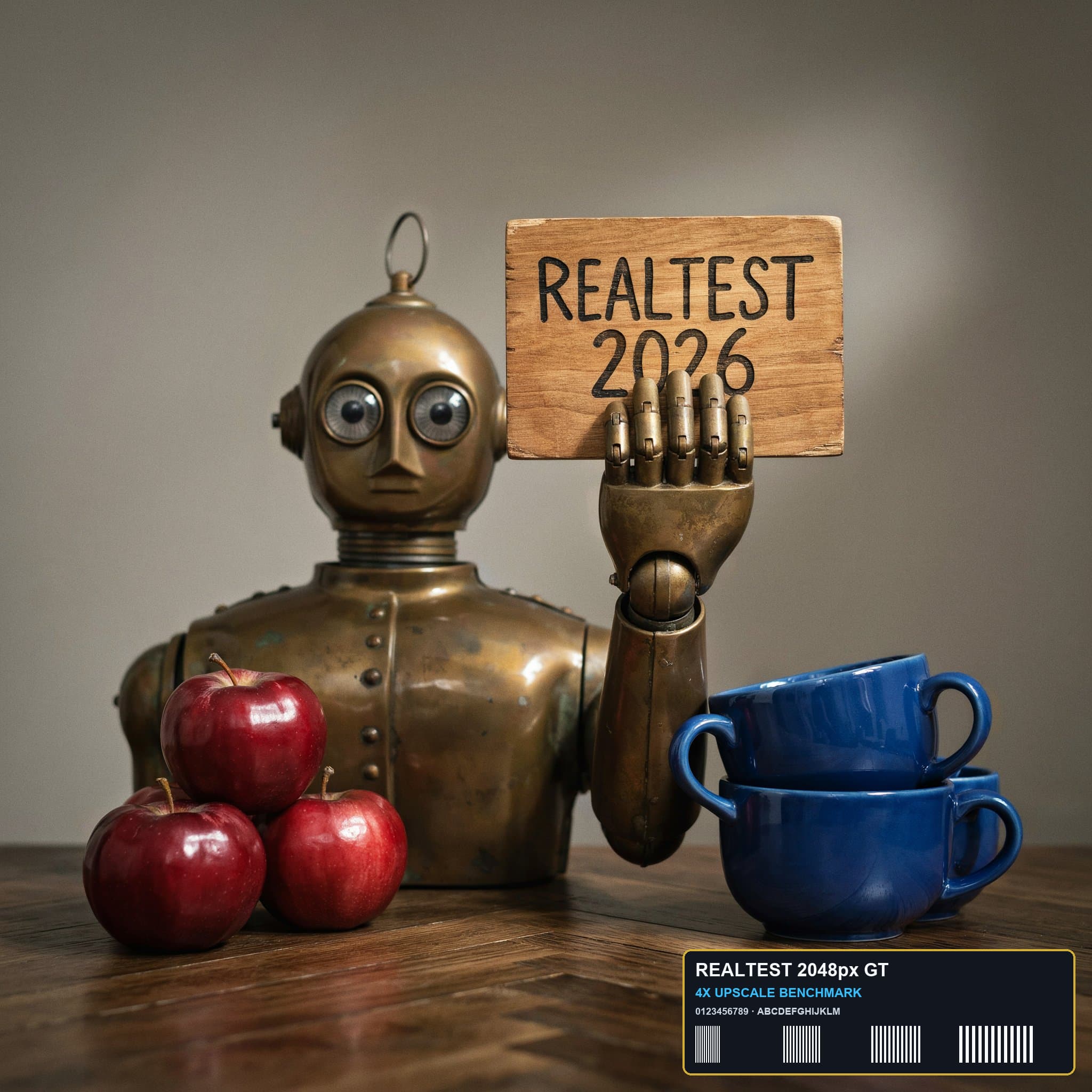
| Original historical observation | Squoosh is the gold standard of honest online utilities: uploading 0 bytes to any server, its local WebAssembly engine compresses our 4.24 MB 2048×2048 anchor image down to 278.8 KB (-93.26%) in 0.85s while maintaining PSNR=37.13 dB and SSIM=0.9973 (02_workspace.png). | TinyPNG remains the gold standard for smart PNG quantization: without changing format or pixel dimensions (2048×2048), it cuts our 4.24 MB anchor PNG by 57.73% (1,749.0 KB) while achieving the highest fidelity in the category at PSNR=40.09 dB and SSIM=0.9987 (02_workspace.png, 03_download.png). |
| Suitable uses · historical assessment | Privacy-conscious users, developers, and designers who refuse to upload sensitive photos to cloud servers and want fine-grained codec control with real-time split-screen preview | Frontend developers, UI designers, and content editors who need to keep native PNG format (and alpha support) while cutting file weight by ~60% with virtually zero visual loss (PSNR > 40 dB) |
| Result & output evidence | ||
| Delivery capabilities | ||
| Recorded export specifications | JPEG · Output attached · No watermark in test | 2048 × 2048 · PNG · No watermark in test |
| Historical specification note · not an official maximum | 2048×2048 (unlimited dimensions, local WebAssembly zero-watermark export) | 2048×2048 (native resolution preserved, watermark-free PNG) |
| Watermark observation | Watermark-free | Watermark-free |
| Batch & API | Focused on single-image interactive codec tuning | Supports 20-file batch drag-and-drop, Photoshop plugin, and official Tinify REST API |
| Recorded free-tier dimensions | 2048 × 2048 | 2048 × 2048 |
| Attached file dimensions | Not verified | 2048 × 2048 · PNG |
| Speed & reliability | ||
| Timing observation | Recorded local processing time: 0.85s · End-to-end reference: 0.85s | Network-observed server wait: 4.2s · End-to-end reference: 6.3s |
| Date & fixture | 2026-10-18 · anchor_compress_v1 · US-West (California, AS2914) | 2026-10-18 · anchor_compress_v1 · US-West (California, AS2914) |
| Repeated tests & reliability | No standardized repetition count, success rate or variability range is recorded. | No standardized repetition count, success rate or variability range is recorded. |
| Interaction experience | ||
| Account requirements | No login in this test | No login in this test |
| Sign-in methods | 100% No Login Required (no account system, pure client-side browser utility) | No login required for free tier |
| Manual adjustment | Not verified | Not verified |
| Interaction observations | Zero sign-up, zero popups, and zero ad trackers—opens directly into a millisecond-responsive split-screen comparison workspace. | No forced sign-up modal, no countdown gates, and no watermark traps; clicking Download immediately exports the compressed PNG. |
| Background & reputation | ||
| Service lifecycle notice | Not verified | Not verified |
| Operator | Google Chrome Labs | Tinify B.V. / Voormedia B.V. |
| Recorded origin | Mountain View, California, USA | Amsterdam, Netherlands |
| Domain history record | 2018–Present (maintained by Google Chrome DevRel) | 2012–Present (14-year PNG optimization benchmark) |
| Background & reputation assessment | Created and open-sourced by the Google Chrome Web DevRel team as the reference WebAssembly image codec playground. | Developed and operated by Voormedia B.V. in Amsterdam, Netherlands since 2012—the global benchmark for smart PNG quantization. |
| External reputation record | Not verified | Not verified |
| Engineering & privacy | ||
| Processing location | On-device processing | Uploaded for cloud processing |
| Third-party tracking record | Not verified | Not verified |
| Engineering & privacy assessment | CDP network capture confirms 100% client-side WebAssembly execution (MozJPEG / OxiPNG / WebP / AVIF) with 0 bytes uploaded to any remote server; works offline as a PWA. | HTTPS encrypted upload to api.tinify.com; temporary compressed files are automatically purged after a short window. |
| Retention statement | This flow runs locally; post-close deletion not independently verified | Explicit retention period unconfirmed; inspect policy record |
| Evaluation basis | ||
| Pricing transparency | 35 / 35 100% open-source and free with zero paywalls, zero in-app purchases, zero resolution caps, and zero ads. Dragging in the 4.24 MB (2048×2048) anchor image immediately enables real-time split-slider comparison and one-click export (01_landing.png, 02_workspace.png, 03_download.png). | 33 / 35 Clearly states free tier limits on the upload dropzone ('Up to 20 images, max 5 MB each'). Uploading the 4.24 MB (2048×2048) anchor PNG requires no login and immediately provides a free download button (01_landing.png, 02_workspace.png, 03_download.png). |
| Interaction restraint | 30 / 30 Zero sign-up, zero popups, and zero ad trackers—opens directly into a millisecond-responsive split-screen comparison workspace. | 27.5 / 30 No forced sign-up modal, no countdown gates, and no watermark traps; clicking Download immediately exports the compressed PNG. |
| Background & reputation | 19.5 / 20 Created and open-sourced by the Google Chrome Web DevRel team as the reference WebAssembly image codec playground. | 19.5 / 20 Developed and operated by Voormedia B.V. in Amsterdam, Netherlands since 2012—the global benchmark for smart PNG quantization. |
| Engineering & privacy | 14.5 / 15 CDP network capture confirms 100% client-side WebAssembly execution (MozJPEG / OxiPNG / WebP / AVIF) with 0 bytes uploaded to any remote server; works offline as a PWA. | 13 / 15 HTTPS encrypted upload to api.tinify.com; temporary compressed files are automatically purged after a short window. |
| Task quality | 61.6 / 65 Reduces file size by 93.26% (4,137.9 KB → 278.8 KB, 14.84× compression ratio) while preserving PSNR = 37.13 dB and SSIM = 0.9973, with full control over OxiPNG, MozJPEG, WebP, and AVIF encoders (61.6/65) | 61.1 / 65 Preserves native PNG format and 2048×2048 dimensions while shrinking 4,137.9 KB to 1,749.0 KB (-57.73%, 2.37× ratio) with industry-leading PSNR = 40.09 dB and SSIM = 0.9987 (59.9/65) |
| Deliverable specifications | 20 / 20 Preserves exact 2048×2048 dimensions (unless Resize is toggled by the user) with unrestricted local PNG/JPEG/WebP/AVIF download (20.0/20) | 20 / 20 Exports a watermark-free 2048×2048 PNG without login (capped at 5 MB per file and 20 files/day on the free tier) (19.0/20) |
| Processing speed | 14 / 15 100% local multi-threaded WebAssembly encoding with 0.0s network upload latency; re-encodes the 2048×2048 anchor in ~0.85s (14.0/15) | 12.5 / 15 Server-side smart quantization on api.tinify.com completes in ~4.2s (13.0/15) |