See your options side by side
Choose one task and 2–4 tools. Compare pricing, output, test results and trust.
Test scope & comparison notes
These are recorded facts, not a unified ranking. Tested tiers and scope are not consistently recorded. Read pricing with its date and timing with its conditions. Privacy observations reflect visible flows and statements, not a security audit.
Cross-task capability coverage across selected products
Each product is scored independently per task edge; switch tasks below while keeping shared products selected| Task edge | photopea.com | quickimagekit.com | Switch / compare |
|---|---|---|---|
| Background removal | 93/100 2048 × 2048 (4.96 MB original RGBA PNG) · Historical description; output not attached | Not tested in topic | Compare in task topic → |
| Image compression | 94/100 JPEG · Output attached | 92/100 WEBP · Output attached | Active task |
| Image vectorization | 99/100 SVG · Output attached | Not tested in topic | Compare in task topic → |
Select at least 2 tools to compare
You can also filter a task page first, then compare your shortlist.
Browse this task →| Criterion | Photopea Image Compressor Image compression 94/100 Seven-aspect task score Benchmark browser-native image compressor built on WebAssembly, exporting 2048×2048 watermark-free JPGs without login; achieves 88.9% file size reduction with 37.1 dB PSNR and zero privacy exposure. Tested export JPEG · Output attached Historical test · 2026-11-03 | QuickImageKit Image Compressor Image compression 92/100 Seven-aspect task score 100% free and local in-browser compression with zero cloud upload, shrinking our 4.14 MB anchor by 93.33% to 276 KB (37.75 dB PSNR) in 0.54s, though PNG inputs are converted to WebP as disclosed. Tested export WEBP · Output attached Historical test · 2026-10-26 |
|---|---|---|
| Pricing & rules | ||
| Pricing plans | Photopea Free and Premium pass structure · 2026-10-30 Plan · source date Monthly / one-time Annual bill / period Quota & limits Free2026-10-30 ↗ Free Free Free 100% complete feature access, unlimited local client-side exports, 0.5 GB PeaDrive, ad-supported PSD/AI/XD/PDF editing, AI background removal, adjustment layers, bitmap vectorizer Premium Single User (30 Days)2026-10-30 ↗ EUR 8/month — Monthly Single user 30 days ad-free, 5 GB PeaDrive, 3,000 AI credits, 2x history steps No ads, one-time payment with no auto-renewal, reverts to free on expiry Premium Single User (365 Days)2026-10-30 ↗ — EUR 50/year Annual Single user 365 days ad-free (€4.17/mo equiv), 5 GB PeaDrive, 3,000 monthly AI credits Full-year ad-free experience, one-time payment without recurring billing 3 plan / billing-period records, all listed; — means that period is not recorded. Free tier grants 100% feature access with ads; Premium passes are one-time non-recurring purchases (€8/30d, €15/90d, €50/365d) returning to free upon expiry. Cancellation, sources & verification recordCancellation and refund terms unverified Photopea Official Premium Pricing Modal ↗ · 2026-10-30 Capture 1 ↗ | Quick Image Kit in-browser local image utilities; completely free · 2026-10-26 Plan · source date Monthly / one-time Annual bill / period Quota & limits Free local web tool2026-10-26 ↗ Free Free Free Completely free without login; 100% local in-browser processing with quality slider and 50KB/100KB/200KB/500KB target-size presets, watermark-free export. PNG inputs are converted to WebP upon export (disclosed upfront as Format: PNG → WebP) 1 plan / billing-period records, all listed; — means that period is not recorded. The official page states that images are decoded and rendered locally in the browser without server uploads, with no paid subscriptions or credit packs; PNG inputs are exported as WebP. Cancellation, sources & verification recordCompletely free local utility with no accounts or paid subscriptions. Quick Image Kit official image compressor and privacy notice page ↗ · 2026-10-26 Capture 1 ↗ · Capture 2 ↗ |
| Free & trial allowance on the test date | Completely free and unlimited usage with unrestricted exports | Unlimited free usage with multi-image drag-and-drop and ZIP batch download |
| Cancellation & refunds | Not verified | Completely free local utility with no accounts or paid subscriptions. |
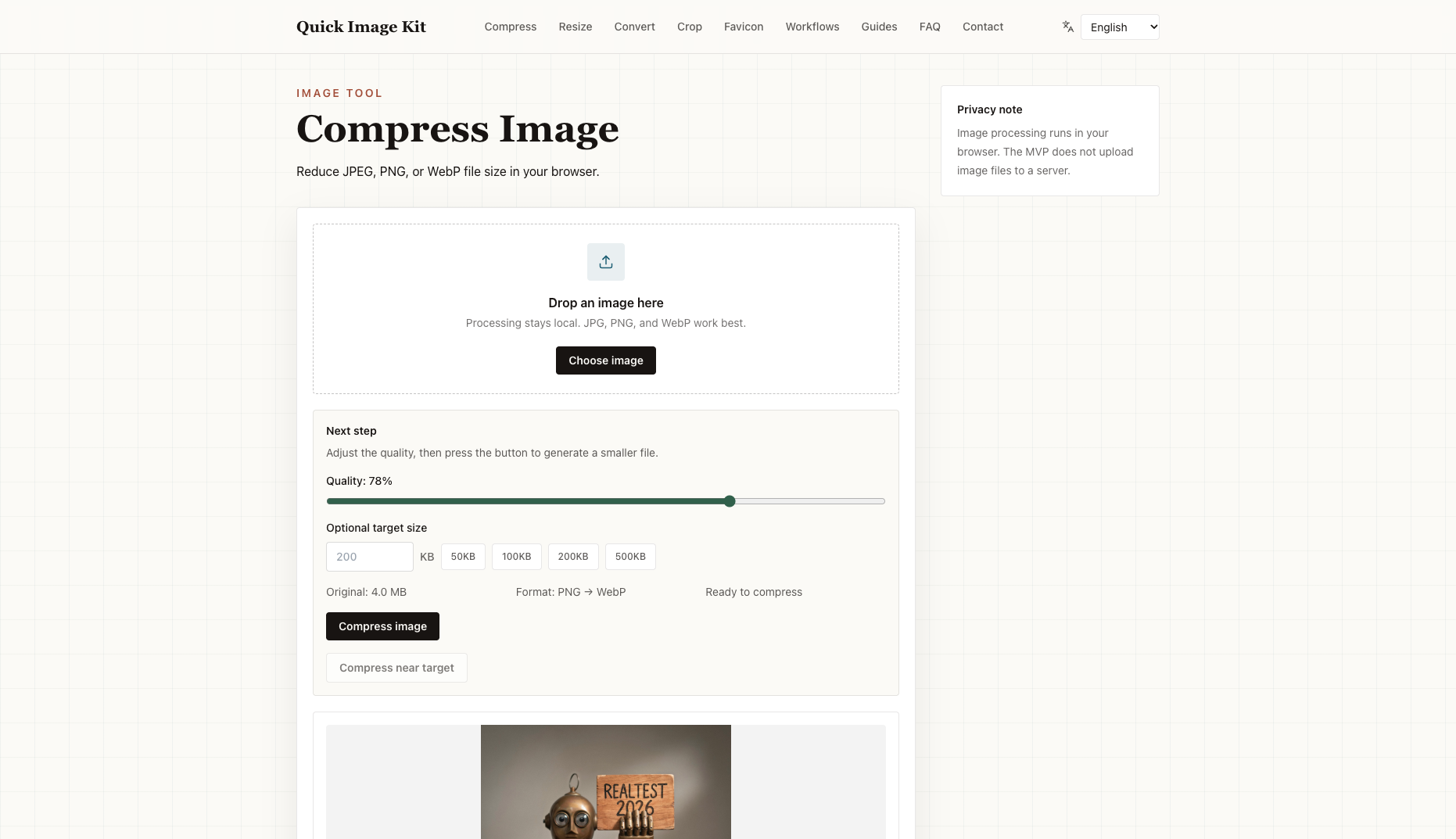
| Disclosure of costs & limits | Export dialog displays real-time estimated size and parameters | Upfront disclosure on both landing page and workspace that PNG inputs convert to WebP |
| Task quality | ||
| Measured fixture results | File reduction: 88.94% · Output size: 457.6 KB | File reduction: 93.33% · Output size: 276 KB |
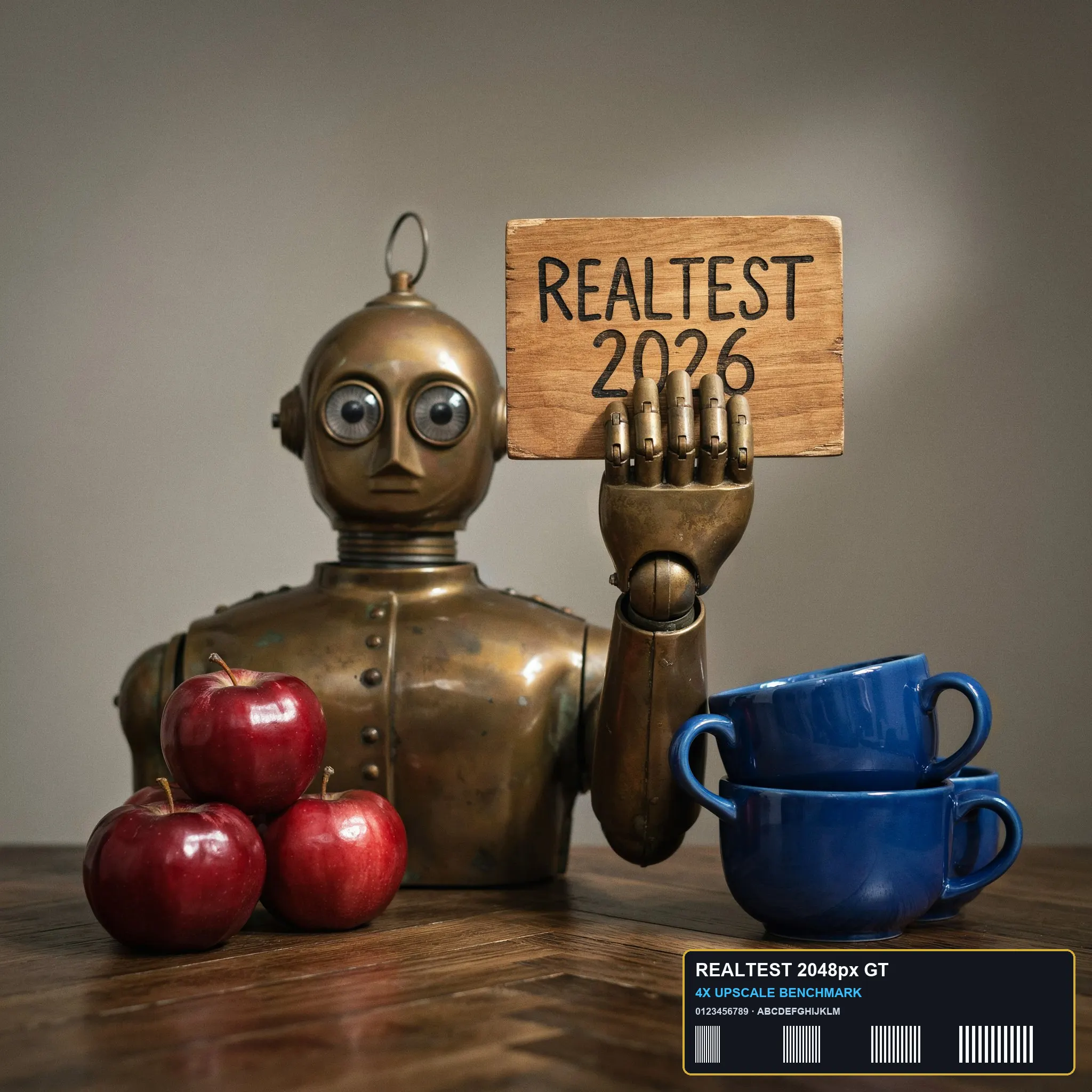
| Fixture findings | Default 70% quality compresses 4.14 MB originals down to 458 KB (9× ratio) with 0.9973 SSIM, cleanly preserving text and specular highlights. | Default Balanced mode converts the 4,137.9 KB anchor to a 276.0 KB WebP (-93.33%) with 37.75 dB PSNR and 0.9977 SSIM, keeping text and edges crisp. |
| Original historical observation | Photopea client-side exports 2048×2048 compressed JPG, slashing size by 88.94% (4.14 MB → 457.6 KB) while sustaining 37.07 dB PSNR and 0.9973 SSIM. | Running 100% locally in the browser (0.0s upload, 0.54s end-to-end), QuickImageKit compressed our 4,137.9 KB (2048×2048) anchor PNG into a 276.0 KB WebP (-93.33%) at 37.75 dB PSNR and 0.9977 SSIM with sharp text and edges (02_workspace.png, 03_download.png). |
| Suitable uses · historical assessment | Designers and developers requiring free, privacy-safe, finely adjustable image compression with zero watermark | Privacy-conscious web developers and creators who want zero cloud upload and >90% size reduction into modern WebP format |
| Result & output evidence | ||
| Delivery capabilities | ||
| Recorded export specifications | JPEG · Output attached · No watermark in test | WEBP · Output attached · No watermark in test |
| Historical specification note · not an official maximum | 2048 × 2048 (457.6 KB original JPG) | 2048 × 2048 (Full-size watermark-free WebP) |
| Watermark observation | Completely watermark-free | Watermark-free |
| Batch & API | Multi-format export (JPG/PNG/WebP/SVG/PDF), shortcuts, action scripts, and layer editing | Supports multi-image drag-and-drop and batch ZIP download; no external REST API |
| Recorded free-tier dimensions | 2048 × 2048 | 2048 × 2048 |
| Attached file dimensions | Not verified | Not verified |
| Speed & reliability | ||
| Timing observation | Recorded local processing time: 1.5s · End-to-end reference: 1.5s | Recorded local processing time: 0s · End-to-end reference: 0.54s |
| Date & fixture | 2026-11-03 · anchor_compress_v1 · US-West (California, AS2914) | 2026-10-26 · anchor_compress_v1 · US-West (California, AS2914) |
| Repeated tests & reliability | No standardized repetition count, success rate or variability range is recorded. | No standardized repetition count, success rate or variability range is recorded. |
| Interaction experience | ||
| Account requirements | No login in this test | No login in this test |
| Sign-in methods | Completely usable without login | 100% login-free (no account system; pure local browser utility) |
| Manual adjustment | Not verified | Not verified |
| Interaction observations | Not verified | Zero registration prompts, ad overlays, or deceptive redirects; dropping an image immediately displays original size, compressed size, reduction percentage, and a direct download button. |
| Background & reputation | ||
| Service lifecycle notice | Not verified | Not verified |
| Operator | Ivan Kutskir (Photopea) | QuickImageKit (Independent Client-Side Toolkit) |
| Recorded origin | Czech Republic | Undisclosed jurisdiction (Cloudflare global edge) |
| Domain history record | 2013–present | 2026–Present |
| Background & reputation assessment | Not verified | Independent client-side browser image toolkit launched in 2026 with clear privacy documentation and contact channels, though without a disclosed corporate entity name. |
| External reputation record | Not verified | Not verified |
| Engineering & privacy | ||
| Processing location | On-device processing | On-device processing |
| Third-party tracking record | Google AdSense · Google Analytics | Vercel Web Analytics (_vercel/insights) |
| Engineering & privacy assessment | Not verified | Verified via browser network monitoring: image compression runs 100% locally via Canvas / WebP encoding with zero bytes uploaded to any remote server (upload_s_net = 0s). |
| Retention statement | This flow runs locally; post-close deletion not independently verified | This flow runs locally; post-close deletion not independently verified |
| Evaluation basis | ||
| Pricing transparency | 35 / 35 100% free with no account registration, paywalls, or file-count caps; the landing page and workspace clearly disclose upfront that PNG inputs are converted to WebP for maximum compression (Format: PNG → WebP). Dropping our 4,137.9 KB (2048×2048) anchor PNG immediately enabled a free 276.0 KB download (01_landing.png, 02_workspace.png, 03_download.png). | |
| Interaction restraint | 29 / 30 Zero registration prompts, ad overlays, or deceptive redirects; dropping an image immediately displays original size, compressed size, reduction percentage, and a direct download button. | |
| Background & reputation | 14.5 / 20 Independent client-side browser image toolkit launched in 2026 with clear privacy documentation and contact channels, though without a disclosed corporate entity name. | |
| Engineering & privacy | 14.5 / 15 Verified via browser network monitoring: image compression runs 100% locally via Canvas / WebP encoding with zero bytes uploaded to any remote server (upload_s_net = 0s). | |
| Task quality | 58 / 65 Size Reduction: -88.94% (4137.9 KB → 457.6 KB, 9.04× ratio) · PSNR: 37.07 dB · SSIM: 0.9973 | 59.5 / 65 In default Balanced mode, compresses the 4,137.9 KB (2048×2048) PNG anchor to a 276.0 KB WebP (-93.33%, 14.99× ratio) while achieving PSNR = 37.75 dB and SSIM = 0.9977 (59.5/65) |
| Deliverable specifications | 20 / 20 Clean unwatermarked export (8/8); Export spec: 2048 × 2048 (457.6 KB original JPG) | 17 / 20 Preserves 100% of the 2048×2048 pixel resolution with zero watermarks or login walls and supports multi-file ZIP export; 3 points deducted because PNG inputs are converted to WebP (explicitly disclosed as Format: PNG → WebP) rather than preserving a native PNG container (17.0/20) |
| Processing speed | 14.5 / 15 Network-observed server wait: 1.5s (API mode: client_wasm_canvas_encoder; network upload 0s / end-to-end 1.5s shown for reference only, never penalized) | 15 / 15 100% client-side local browser encoding with 0.0s network upload or server wait, completing the 2048×2048 anchor in ~0.54s end-to-end (15.0/15) |