| Pricing & rules |
|---|
| Pricing plans |
Site-wide PDF manipulation and conversion tools pricing on PDF.io · 2026-11-14
Plan · source date Monthly / one-time Annual bill / period Quota & limits Free Free Free Up to 25 files per day, maximum file size 4 GB Full access to 51 PDF and media tools with standard processing speed;25 files/day limit, ad-supported interface;Daily quota refreshes automatically;No expiration USD 6/month — Monthly Unlimited files per day, maximum file size up to 10 GB Ad-free experience, faster prioritized processing speed;Max file size 10 GB;Auto-renews monthly;Valid for monthly subscription period — USD 48/year Annual Unlimited files per day, 10 GB file size limit, billed annually at $48 ($4/mo, save 20%) Ad-free experience and faster prioritized processing speed;Billed annually at $48;Auto-renews annually;Valid for annual subscription period 3 plan / billing-period records, all listed; — means that period is not recorded.
Free tier covers 25 files/day up to 4GB; Premium subscription is $6/mo or $48/yr ($4/mo) for unlimited files and 10GB file limits without ads.
Cancellation, sources & verification recordCancellation and refund terms unverified PDF.io Official Homepage ↗ · 2026-11-14 Capture 1 ↗ PDF.io Official Pricing Plans ↗ · 2026-11-14 Capture 1 ↗ |
PDFgear web PDF-to-Word; free desktop alternative noted separately · 2026-10-20
Plan · source date Monthly / one-time Annual bill / period Quota & limits Free Free Free One PDF at a time, up to 100 MB; OCR is claimed by the vendor. Batch processing and no file-size limit are desktop features. 1 plan / billing-period records, all listed; — means that period is not recorded.
The official web limit is 100 MB per file. Its OCR claim is not a RealTest scanned-document test. Desktop batch and offline processing are not web capabilities.
Cancellation, sources & verification recordCancellation and refund terms follow official checkout and help policies. Official feature and pricing page ↗ · 2026-10-20 Capture 1 ↗ |
|---|
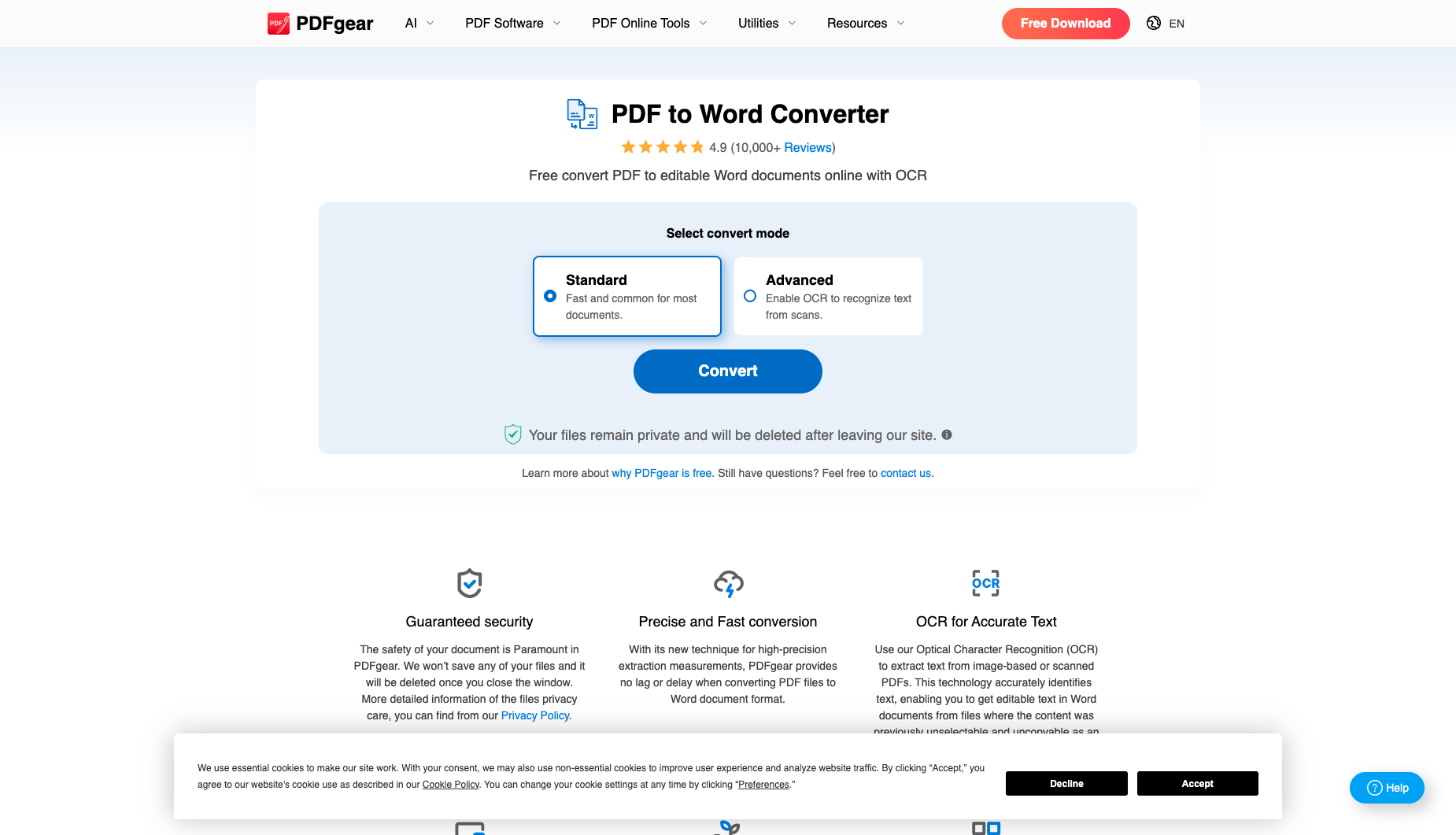
| Free & trial allowance on the test date | 25 files/day and up to 4 GB per file for free guests (ad-supported) | Both the web tool (including Advanced OCR) and cross-platform desktop/mobile apps are currently 100% free |
|---|
| Cancellation & refunds | | Cancellation and refund terms follow official checkout and help policies. |
|---|
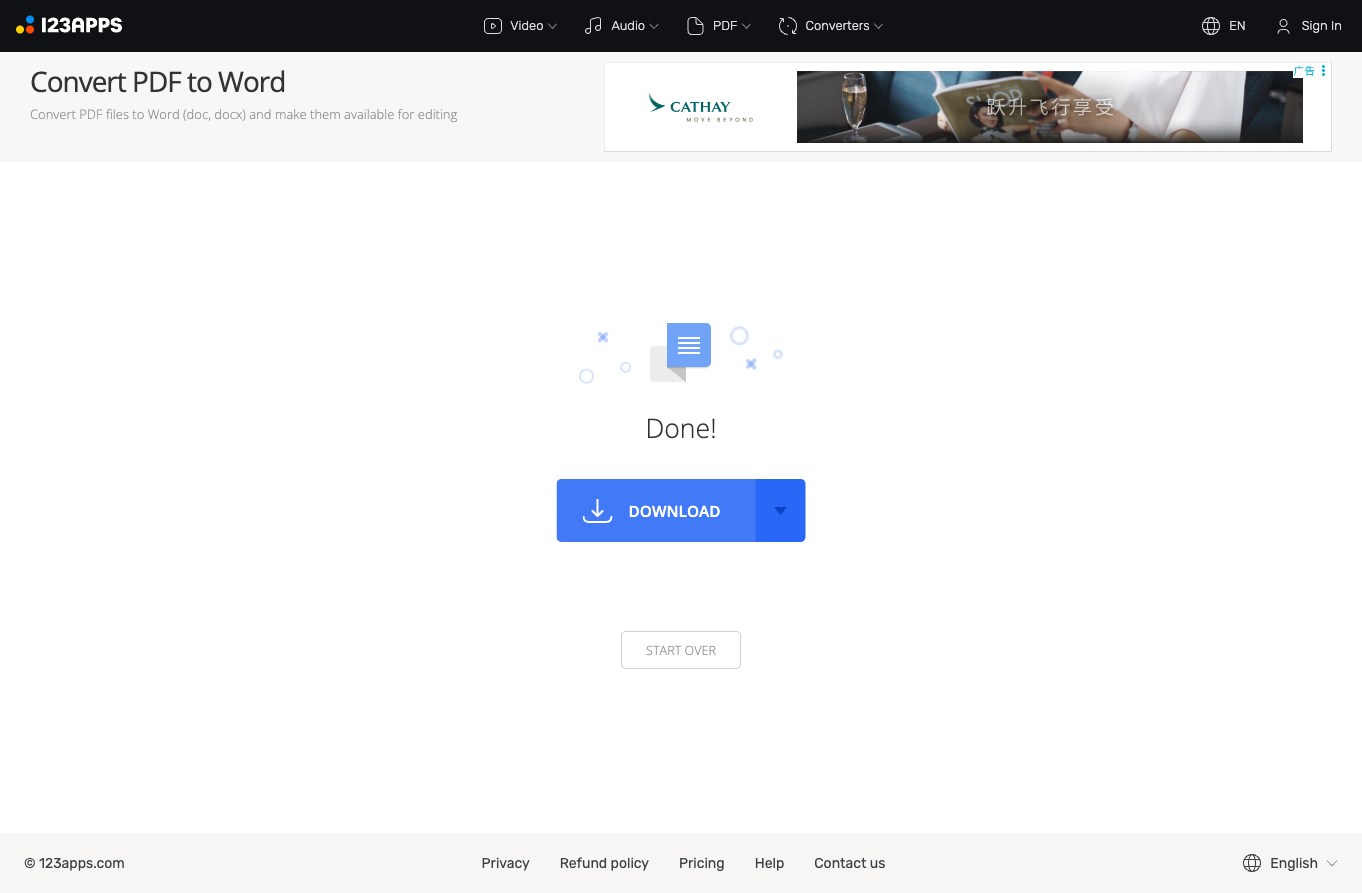
| Disclosure of costs & limits | Displays immediate blue DOWNLOAD button upon completion | Completely free throughout; only requires clicking 'skip' on the social share modal |
|---|
| Task quality |
|---|
| Measured fixture results | Text retained: 100% · Editable table cells: 16 · Page 2 preserved: Yes | Text retained: 100% · Editable table cells: 0 · Page 2 preserved: Yes |
|---|
| Fixture findings | On anchor_pdf2word_v1, PDF.io completed in 0.53s and exported a 14.8 KB native OOXML .docx with 100% editable text and 16-cell native table retention and zero page rasterization. | Text was retained but tables were not editable grids; a sharing prompt appeared during conversion. |
|---|
| Original historical observation | Uploaded the 2-page digital PDF anchor as a guest; completed in 0.53s and exported a 14.8 KB .docx retaining 61 editable paragraphs, a 4x4 native Word table (16 cells), and page 2 token at 100% with zero rasterization. | PDFgear stays true to its 100% free philosophy—offering both Standard and Advanced OCR modes without login (02_workspace.png) and exporting a 16.0 KB .docx with 100% text retention and instant deletion (03_download.png); its only drawbacks are a 'Share to Continue' prompt with a faint gray 'skip' button (03_share_modal.png) and paragraph-based rather than native <w:tbl> table reconstruction. |
|---|
| Suitable uses · historical assessment | | Users who detest paywalls and third-party ads or need free OCR text recognition on scanned PDFs |
|---|
| Result & output evidence | | |
|---|
| Scans / OCR | The fixture is a text PDF; scans and OCR were not tested | The fixture is a text PDF; scans and OCR were not tested |
|---|
| Delivery capabilities |
|---|
| Recorded export specifications | DOCX · Output attached · No watermark in test | DOCX · Output attached · No watermark in test |
|---|
| Historical specification note · not an official maximum | Full 2-page native .docx (61 paragraphs + 16-cell native table, 14.8 KB, watermark-free) | Full 2-page unwatermarked .docx (16.0 KB, 39 paragraphs, free OCR mode supported) |
|---|
| Watermark observation | | |
|---|
| Batch & API | | Single-file conversion on web; unlimited local batch conversion via free Windows/macOS desktop app |
|---|
| Recorded free-tier dimensions | | |
|---|
| Attached file dimensions | | |
|---|
| Published allowances & file limits · not tested | Free Plan: Up to 25 files per day, maximum file size 4 GB · Full access to 51 PDF and media tools with standard processing speed · 25 files/day limit, ad-supported interface | Web free: One PDF at a time, up to 100 MB; OCR is claimed by the vendor. Batch processing and no file-size limit are desktop features. |
|---|
| Speed & reliability |
|---|
| Timing observation | Network-observed server wait: 0.53s · End-to-end reference: 1.32s | Network-observed server wait: 10.8s · End-to-end reference: 12.3s |
|---|
| Date & fixture | 2026-11-19 · anchor_pdf2word_v1 · US-West (California) | 2026-10-18 · anchor_pdf2word_v1 · US-West (California, AS2914) |
|---|
| Repeated tests & reliability | No standardized repetition count, success rate or variability range is recorded. | No standardized repetition count, success rate or variability range is recorded. |
|---|
| Interaction experience |
|---|
| Account requirements | | |
|---|
| Sign-in methods | No login required; optional Google, Apple ID, or email login for Premium | No login or registration required |
|---|
| Manual adjustment | | |
|---|
| Interaction observations | | Zero third-party banner ads, though clicking 'Convert' pops up a 'Share to Continue — Share this tool on social media to unlock access and continue converting your files' prompt with a faint gray 'skip' link at the bottom (03_share_modal.png). |
|---|
| Background & reputation |
|---|
| Service lifecycle notice | | |
|---|
| Operator | | PDFgear Tech Pte. Ltd. (pdfgear.com) |
|---|
| Recorded origin | | |
|---|
| Domain history record | | 2022–Present (fast-growing free cross-platform PDF suite) |
|---|
| Background & reputation assessment | | Operated by Singapore-based PDFgear Tech Pte. Ltd., widely praised across tech communities for its 100% free Windows, macOS, iOS, and Android apps. |
|---|
| External reputation record | | |
|---|
| Engineering & privacy |
|---|
| Processing location | Uploaded for cloud processing | Uploaded for cloud processing |
|---|
| Third-party tracking record | Google Analytics · Google AdSense · Stripe · Cloudflare | |
|---|
| Engineering & privacy assessment | | Provides an instant trash-can delete icon right beside 'Download File' and explicitly states 'Your files remain private and will be deleted after leaving our site' (03_download.png). |
|---|
| Retention statement | Explicit retention period unconfirmed; inspect policy record | Explicit retention period unconfirmed; inspect policy record |
|---|
| Evaluation basis |
|---|
| Pricing transparency | | 33 / 35 Genuinely free with no subscription paywall, no registration requirement, no watermark, and even makes its 'Advanced (Enable OCR to recognize text from scans)' mode completely free for guests (02_workspace.png, 03_download.png). Scores & evidence → |
|---|
| Interaction restraint | | 19 / 30 Zero third-party banner ads, though clicking 'Convert' pops up a 'Share to Continue — Share this tool on social media to unlock access and continue converting your files' prompt with a faint gray 'skip' link at the bottom (03_share_modal.png). Scores & evidence → |
|---|
| Background & reputation | | 18 / 20 Operated by Singapore-based PDFgear Tech Pte. Ltd., widely praised across tech communities for its 100% free Windows, macOS, iOS, and Android apps. Scores & evidence → |
|---|
| Engineering & privacy | | 14 / 15 Provides an instant trash-can delete icon right beside 'Download File' and explicitly states 'Your files remain private and will be deleted after leaving our site' (03_download.png). Scores & evidence → |
|---|
| Task quality | 64 / 65 Text Retention: 100% · Native Word Tables (<w:tbl>): 1 (16 cells) · Page 2 Preserved: Yes Scores & evidence → | 51 / 65 OpenXML inspection confirms 100.0% text retention (all 4/4 headings, 12/12 table values, 3/3 body phrases, and Page 2 code preserved) with 3 background graphics preserving visual table borders, though it does not generate a native Word <w:tbl> table object (51.0/65) Scores & evidence → |
|---|
| Deliverable specifications | 20 / 20 Watermarked or blocked free export (0/8); Export spec: Full 2-page native .docx (61 paragraphs + 16-cell native table, 14.8 KB, watermark-free) Scores & evidence → | 18 / 20 Exports a clean 16.0 KB .docx with no login or watermark, plus free optional Advanced OCR mode (18.0/20) Scores & evidence → |
|---|
| Processing speed | 15 / 15 Network-observed server wait: 0.53s (API mode: sync_json_verified; network upload 0.79s / end-to-end 1.32s shown for reference only, never penalized) Scores & evidence → | 11.5 / 15 End-to-end cloud upload and conversion finishes in ~12.3s (11.5/15) Scores & evidence → |
|---|