| Pricing & rules |
|---|
| Pricing plans |
ClearPDF in-browser zero-upload core tools and server credits navigation · 2026-11-22
Plan · source date Monthly / one-time Annual bill / period Quota & limits Free Free Free Unlimited free usage for in-browser PDF merge, split, watermark, and reorder without sign-up or watermarks 1 plan / billing-period records, all listed; — means that period is not recorded.
Core utilities (Merge, Split, Watermark, Rotate) are completely free with no registration or watermarks; server-hosted tools require an account and detailed price tiers are gated behind login.
Verification has gaps; unknown prices and quotas are not inferred.
Cancellation, sources & verification recordCancellation and refund terms unverified ClearPDF official homepage and toolkit directory ↗ · 2026-11-15 Capture 1 ↗ ClearPDF sign-in and server credits gate ↗ · 2026-11-15 Capture 1 ↗ ClearPDF Merge PDF in-browser processing workflow ↗ · 2026-11-15 Capture 1 ↗ |
Sejda personal web and desktop plans (Free / Web Week Pass / Web Monthly / Desktop+Web Annual); USD · 2026-10-21
Plan · source date Monthly / one-time Annual bill / period Quota & limits Free Free Free No account required; documents up to 50 pages or 50 MB and up to 3 tasks per hour; files automatically deleted after 2 hours. USD 5 · one-time payment Usage / one-time Usage / one-time One-time payment of USD 5 for 7 days of Sejda Web access (unlimited documents, no page or hourly limits, up to 500 MB per file; excludes Sejda Desktop). One-time payment; does not auto-renew USD 7.5/month — Monthly Sejda Web monthly subscription (unlimited documents, no page or hourly limits, batch multi-file processing; excludes Sejda Desktop). Recurring monthly billing; cancel anytime — USD 63/year Annual Billed annually at USD 63/year (save 30% over monthly), including 1 year of unlimited access to both Sejda Web and Sejda Desktop. Recurring annual billing; cancel anytime 4 plan / billing-period records, all listed; — means that period is not recorded.
The converter page states the free allowance (documents up to 50 pages or 50 MB, 3 tasks per hour, files deleted after 2 hours); the official pricing page (/upgrade) lists the 7-day Web Week Pass (USD 5 one-time payment), Web Monthly (USD 7.50/month), and Desktop+Web Annual (USD 63/year).
Cancellation, sources & verification recordWeb Week Pass is a one-time 7-day payment with no auto-renewal; monthly and annual plans use recurring billing and can be cancelled anytime. Sejda official pricing and upgrade page ↗ · 2026-10-21 Capture 1 ↗ |
|---|
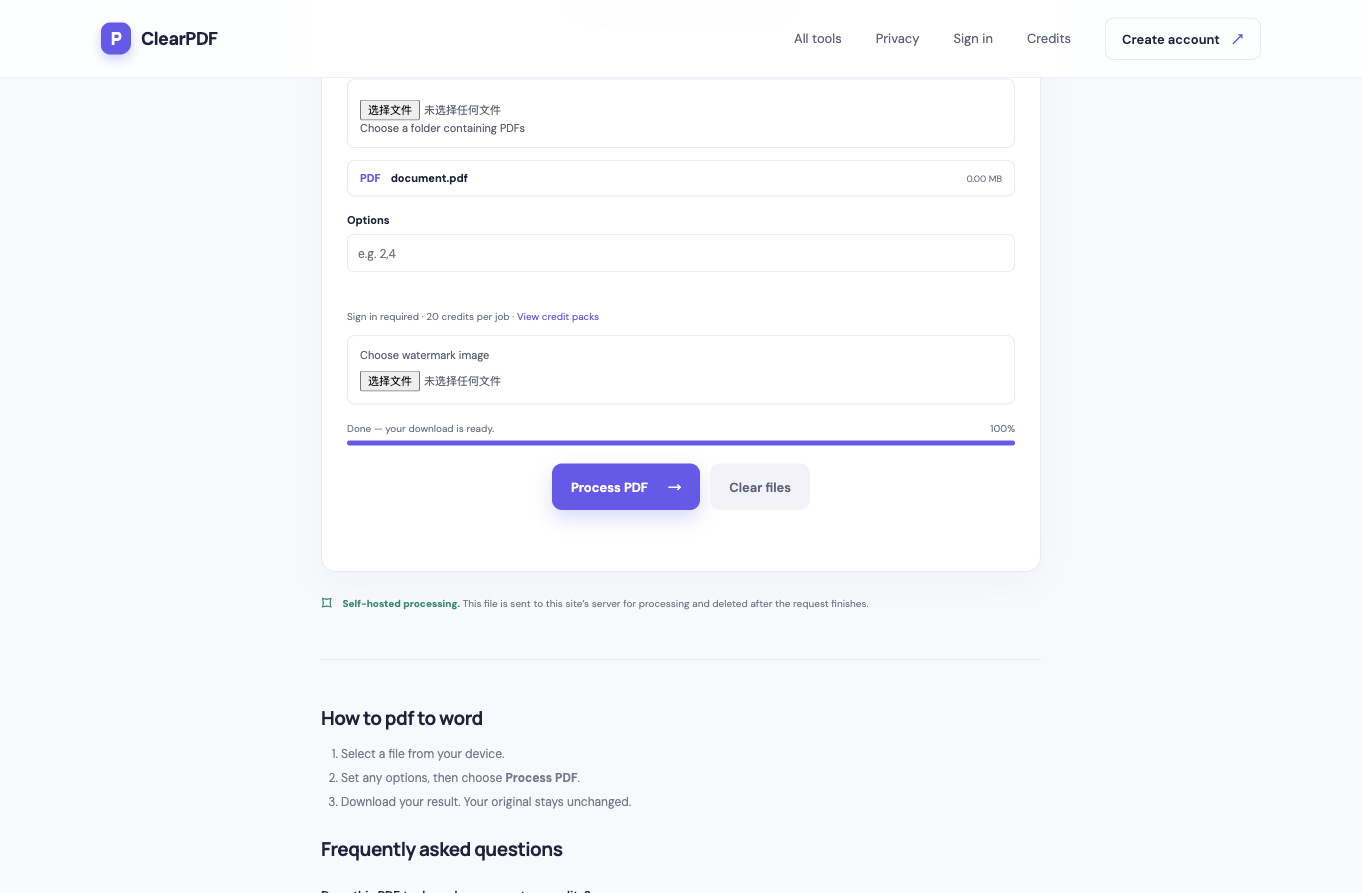
| Free & trial allowance on the test date | Sign-in required; new accounts receive 100 free credits (20 credits per PDF-to-Word job = 5 free jobs) | Unauthenticated free users can run up to 3 tasks per hour for documents up to 50 pages or 50 MB |
|---|
| Cancellation & refunds | | Web Week Pass is a one-time 7-day payment with no auto-renewal; monthly and annual plans use recurring billing and can be cancelled anytime. |
|---|
| Disclosure of costs & limits | Discloses 'Sign in required · 20 credits per job' upfront | Page limit (50 pages), file size limit (50 MB), and 3-tasks/hour quota are disclosed upfront below the hero upload button |
|---|
| Task quality |
|---|
| Measured fixture results | Text retained: 100% · Editable table cells: 18 · Page 2 preserved: Yes | Text retained: 100% · Editable table cells: 0 · Page 2 preserved: Yes |
|---|
| Fixture findings | Exported a valid 37.6 KB OOXML .docx with 32 paragraphs, 3 native tables (18 cells), 0 embedded images, and 100.0% retention of 4/4 headings, 12/12 table cells, and page 2. | Retains 100% of text and table values across both pages, but exports legacy OLE .doc without native editable tables (table_count = 0). |
|---|
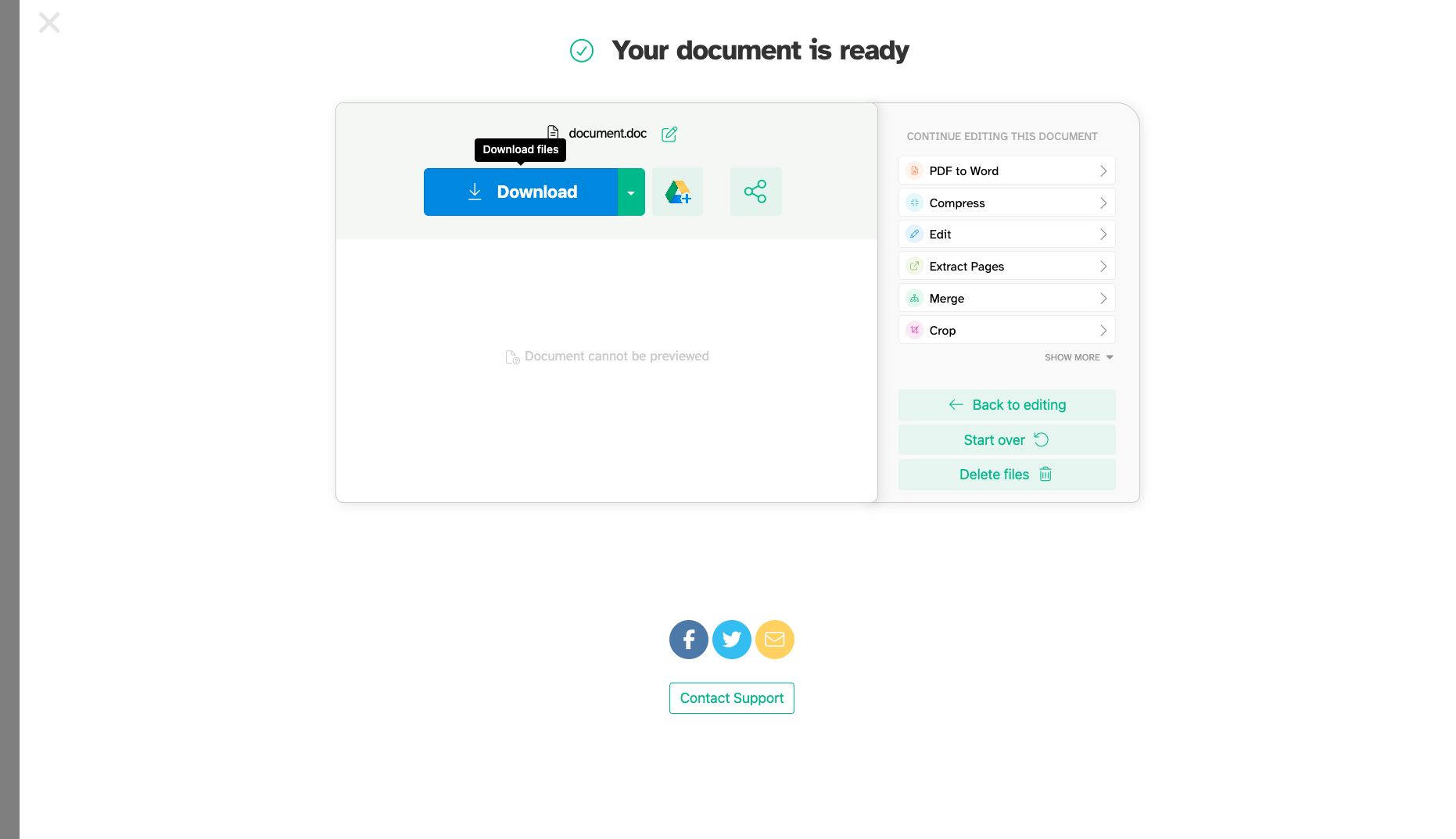
| Original historical observation | Uploaded the 2-page PDF anchor and clicked Process PDF; conversion finished in 4.66s and auto-downloaded converted.docx (37.6 KB). | Sejda excels in upfront quota transparency and privacy restraint (91/100 Honesty), exporting an unwatermarked document in 11.36s without login and retaining 100% of text across both pages—however, it delivers a legacy binary OLE2 .doc (215.0 KB) rather than modern .docx and does not reconstruct native Word tables (table_count = 0). |
|---|
| Suitable uses · historical assessment | Users converting digital PDFs with tables into truly editable Word documents without rasterization | Users who value upfront no-login quotas (≤50 pages/50 MB, 3 tasks/hr) or a $5 7-day pass without auto-renewal and primarily need full text extraction |
|---|
| Result & output evidence | | |
|---|
| Scans / OCR | The fixture is a text PDF; scans and OCR were not tested | The fixture is a text PDF; scans and OCR were not tested |
|---|
| Delivery capabilities |
|---|
| Recorded export specifications | DOCX · Output attached · No watermark in test | DOC · Output attached · No watermark in test |
|---|
| Historical specification note · not an official maximum | Native editable .docx (37.6 KB, no watermark, 0 rasterized images) | Full 2-page watermark-free legacy .doc (OLE2 Word 97-2003, 215.0 KB) |
|---|
| Watermark observation | | |
|---|
| Batch & API | Supports multi-file and folder selection | Paid plans unlock batch multi-file processing and the offline Sejda Desktop application |
|---|
| Recorded free-tier dimensions | | |
|---|
| Attached file dimensions | | |
|---|
| Published allowances & file limits · not tested | Free In-Browser Tools: Unlimited free usage for in-browser PDF merge, split, watermark, and reorder without sign-up or watermarks | Free: No account required; documents up to 50 pages or 50 MB and up to 3 tasks per hour; files automatically deleted after 2 hours. |
|---|
| Speed & reliability |
|---|
| Timing observation | Network-observed server wait: 4.66s · End-to-end reference: 4.66s | Network-observed server wait: 11.36s · End-to-end reference: 11.36s |
|---|
| Date & fixture | 2026-11-18 · anchor_pdf2word_v1 · US-West (California, AS2914) | 2026-10-19 · anchor_pdf2word_v1 · US-West (California, AS2914) |
|---|
| Repeated tests & reliability | No standardized repetition count, success rate or variability range is recorded. | No standardized repetition count, success rate or variability range is recorded. |
|---|
| Interaction experience |
|---|
| Account requirements | Account required in this test | |
|---|
| Sign-in methods | | No login required for free conversion; optional Pro account sign-in |
|---|
| Manual adjustment | | |
|---|
| Interaction observations | | Converts our 2-page anchor PDF via the "Edit text" mode and downloads the full document without login, ad pop-ups, or email capture gates. |
|---|
| Background & reputation |
|---|
| Service lifecycle notice | | |
|---|
| Operator | | Sejda BV (Amsterdam PDF Utility Vendor) |
|---|
| Recorded origin | | |
|---|
| Domain history record | | |
|---|
| Background & reputation assessment | | Operated since 2016 by Amsterdam-based Sejda BV, a well-established developer of web and desktop PDF tools affiliated with the open-source PDFsam team. |
|---|
| External reputation record | | |
|---|
| Engineering & privacy |
|---|
| Processing location | Uploaded for cloud processing | Uploaded for cloud processing |
|---|
| Third-party tracking record | No third-party services listed in this record; this is not proof that none exist. | |
|---|
| Engineering & privacy assessment | | HTTPS-encrypted transfer; explicitly commits on both landing and download screens to automatically delete uploaded and converted files after 2 hours, alongside a manual immediate-delete option. |
|---|
| Retention statement | Explicit retention period unconfirmed; inspect policy record | Claims deletion within 2 hours; deletion not independently verified |
|---|
| Evaluation basis |
|---|
| Pricing transparency | | 32 / 35 Directly discloses the free allowance right below the upload button on the landing page ("Documents of up to 50 pages or 50 MB and 3 tasks per hour. Files stay private. Automatically deleted after 2 hours"); the official /upgrade page transparently lists the 7-day Web Week Pass ($5 one-time payment, no auto-renewal), Web Monthly ($7.50/mo), and Desktop+Web Annual ($63/yr). Scores & evidence → |
|---|
| Interaction restraint | | 27 / 30 Converts our 2-page anchor PDF via the "Edit text" mode and downloads the full document without login, ad pop-ups, or email capture gates. Scores & evidence → |
|---|
| Background & reputation | | 18.5 / 20 Operated since 2016 by Amsterdam-based Sejda BV, a well-established developer of web and desktop PDF tools affiliated with the open-source PDFsam team. Scores & evidence → |
|---|
| Engineering & privacy | | 13.5 / 15 HTTPS-encrypted transfer; explicitly commits on both landing and download screens to automatically delete uploaded and converted files after 2 hours, alongside a manual immediate-delete option. Scores & evidence → |
|---|
| Task quality | 64 / 65 Text Retention: 100% · Native Word Tables (<w:tbl>): 3 (18 cells) · Page 2 Preserved: Yes Scores & evidence → | 43 / 65 Exports a valid legacy OLE2 Word 97-2003 .doc file (215.0 KB): isolated LibreOffice import and macOS textutil inspection confirm 100.0% text retention (4/4 headings, 12/12 table text entries, 3/3 key body phrases, and Page 2 verification token preserved), but table cells are not reconstructed as a native editable Word table (table_count = 0, with 3 inline graphic objects) (43.0/65) Scores & evidence → |
|---|
| Deliverable specifications | 19 / 20 Clean unwatermarked export (8/8); Export spec: Native editable .docx (37.6 KB, no watermark, 0 rasterized images) Scores & evidence → | 14 / 20 Delivers a complete 2-page watermark-free document (215.0 KB, free quota ≤50 pages/50 MB, 3 tasks/hr) without login, but outputs legacy binary OLE2 .doc rather than modern OpenXML .docx, incurring a format specification deduction (14.0/20) Scores & evidence → |
|---|
| Processing speed | 13 / 15 Network-observed server wait: 4.66s (API mode: sync; network upload 0s / end-to-end 4.66s shown for reference only, never penalized) Scores & evidence → | 10 / 15 2026-10-21 single-sample network timing: file upload takes 1.07s (POST /api/files/upload), and pure server conversion from POST /api/tasks (operation: pdfToWord) to polling completion (GET /api/tasks/[id]/change) takes 11.36s (10.0/15) Scores & evidence → |
|---|