| Pricing & rules |
|---|
| Pricing plans |
Pimg.pro site-wide web canvas editing and export features · 2026-11-20
Plan · source date Monthly / one-time Annual bill / period Quota & limits Free Free Free No daily limit and no image count cap (bounded only by browser canvas memory) Image combining, cropping, exact-pixel resizing, rotation/flip, watermark-free PNG/JPG/WebP export, and clipboard copy 1 plan / billing-period records, all listed; — means that period is not recorded.
100% free utility: no paid plans, no credit packs, no daily count limits, and no export watermarks.
Cancellation, sources & verification recordCancellation and refund terms unverified Pimg.pro Official Homepage & Canvas ↗ · 2026-11-20 Capture 1 ↗ |
FujinAI sitewide local browser tools and server-side AI product photography credits · 2026-11-15
Plan · source date Monthly / one-time Annual bill / period Quota & limits Free Free Free Unlimited free local image compression, resizing, cropping, conversion, and EXIF removal (runs in browser memory, no account needed) USD 4.99 · one-time payment Usage / one-time Usage / one-time 200 credits (~0.025 USDT/image), generates 200 AI product scenes, white-background shots, or text-to-image outputs, never expires USD 9.99 · one-time payment Usage / one-time Usage / one-time 500 credits (~0.020 USDT/image), generates 500 AI images, never expires USD 24.99 · one-time payment Usage / one-time Usage / one-time 1,400 credits (~0.018 USDT/image), generates 1,400 AI images, never expires USD 49.99 · one-time payment Usage / one-time Usage / one-time 3,000 credits (~0.017 USDT/image), generates 3,000 AI images, never expires 5 plan / billing-period records, all listed; — means that period is not recorded.
Client-side browser tools are free and require no upload; server-side AI image generation costs 1 credit/image via prepaid USDT credits that never expire, with no recurring monthly commitment and no free AI trial.
Cancellation, sources & verification recordCancellation and refund terms unverified FujinAI official homepage and studio navigation ↗ · 2026-11-15 Capture 1 ↗ FujinAI official pricing and credits page ↗ · 2026-11-15 Capture 1 ↗ |
|---|
| Free & trial allowance on the test date | 100% free with no daily or image count limits | |
|---|
| Cancellation & refunds | | |
|---|
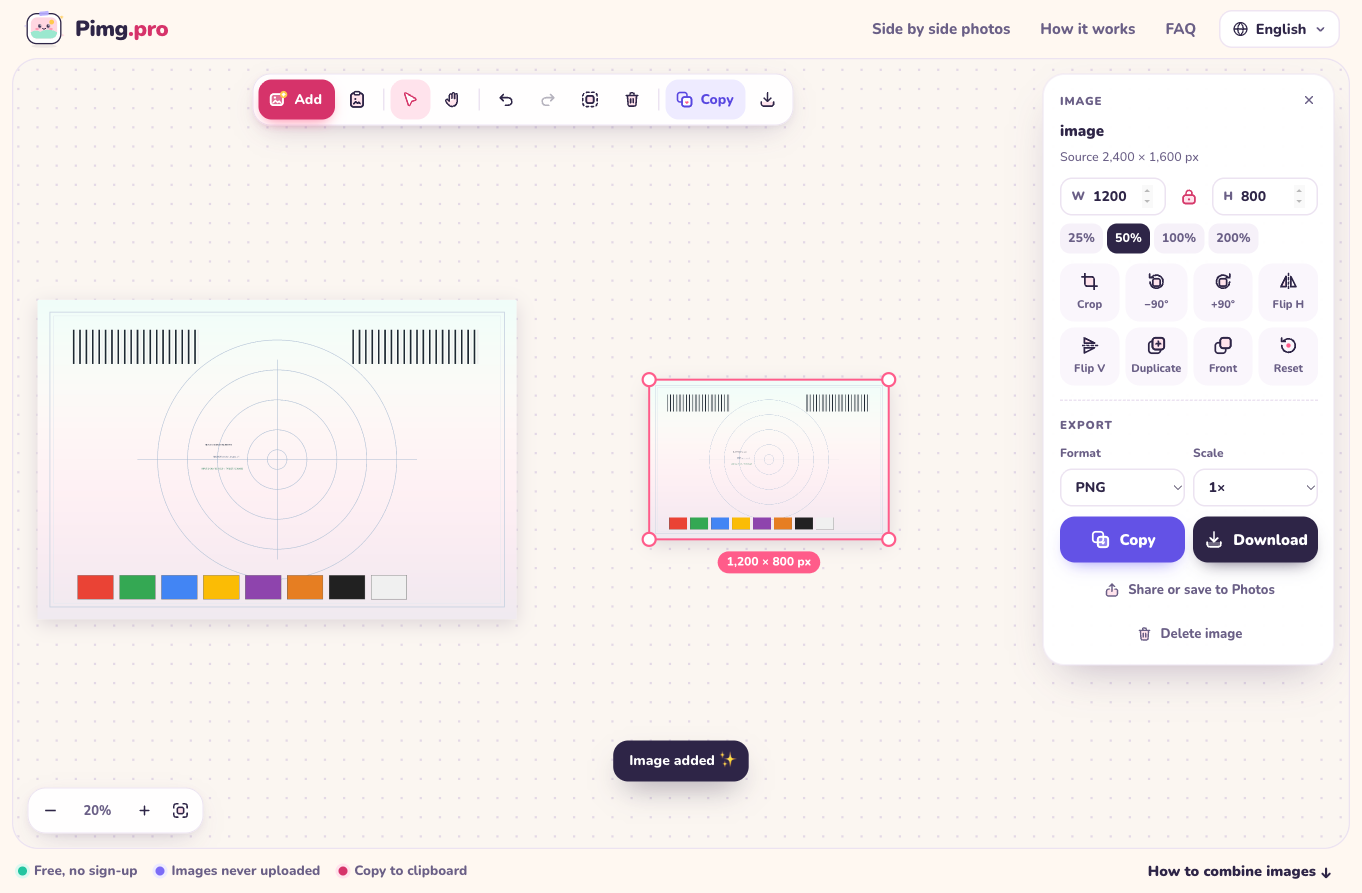
| Disclosure of costs & limits | Canvas side panel displays source dimensions, W/H fields, aspect lock, and export format/scale upfront | |
|---|
| Task quality |
|---|
| Measured fixture results | Target width: 1200px · Target height: 800px · Dimension accuracy: 100% · Aspect ratio maintained: Yes · Container validity: Yes | Target width: 1200px · Target height: 800px · Dimension accuracy: 100% · Aspect ratio maintained: Yes · Container validity: Yes |
|---|
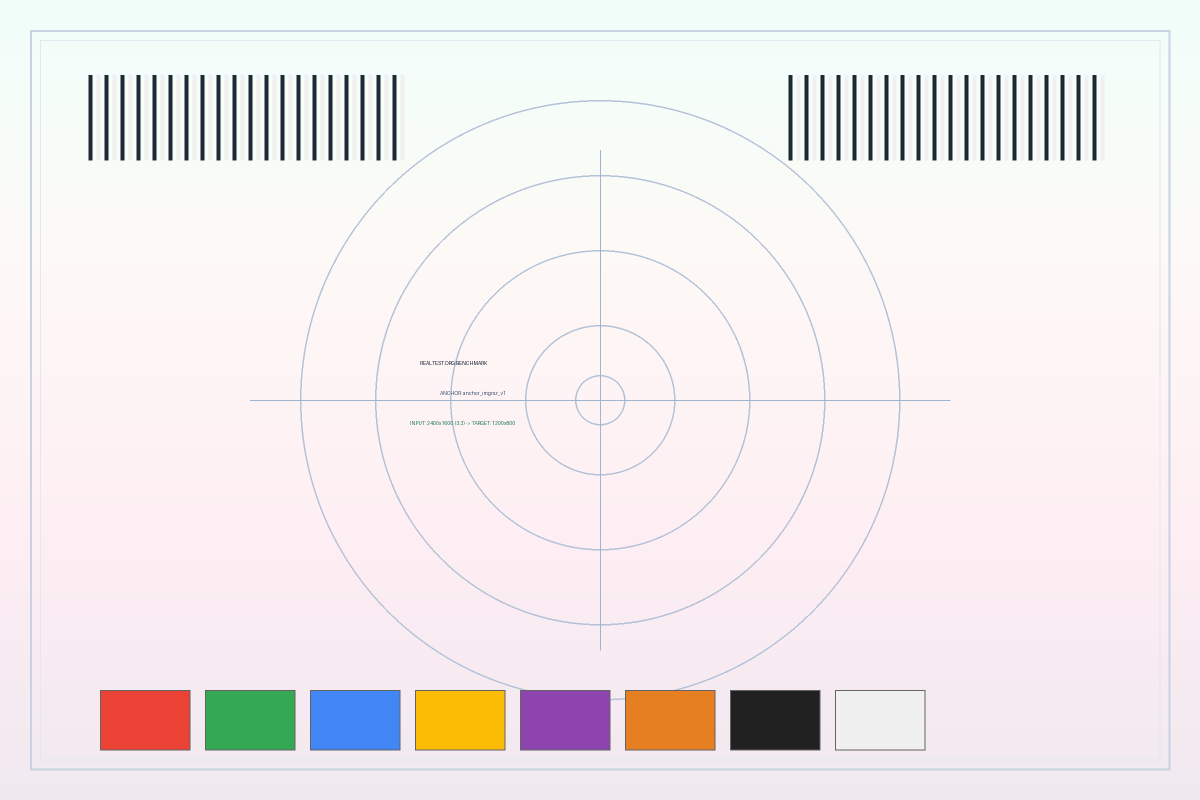
| Fixture findings | The 1200x800 native PNG export maintains exact 3:2 geometry with sharp resolution bars and color blocks (PSNR 41.84 dB, SSIM 0.9986) and avoids forced lossy transcoding. | Standard anchor resized to 1200×800 target dimensions with 100% accuracy and preserved 3:2 aspect ratio, achieving 41.84 dB PSNR and 0.9986 SSIM with watermark-free native export. |
|---|
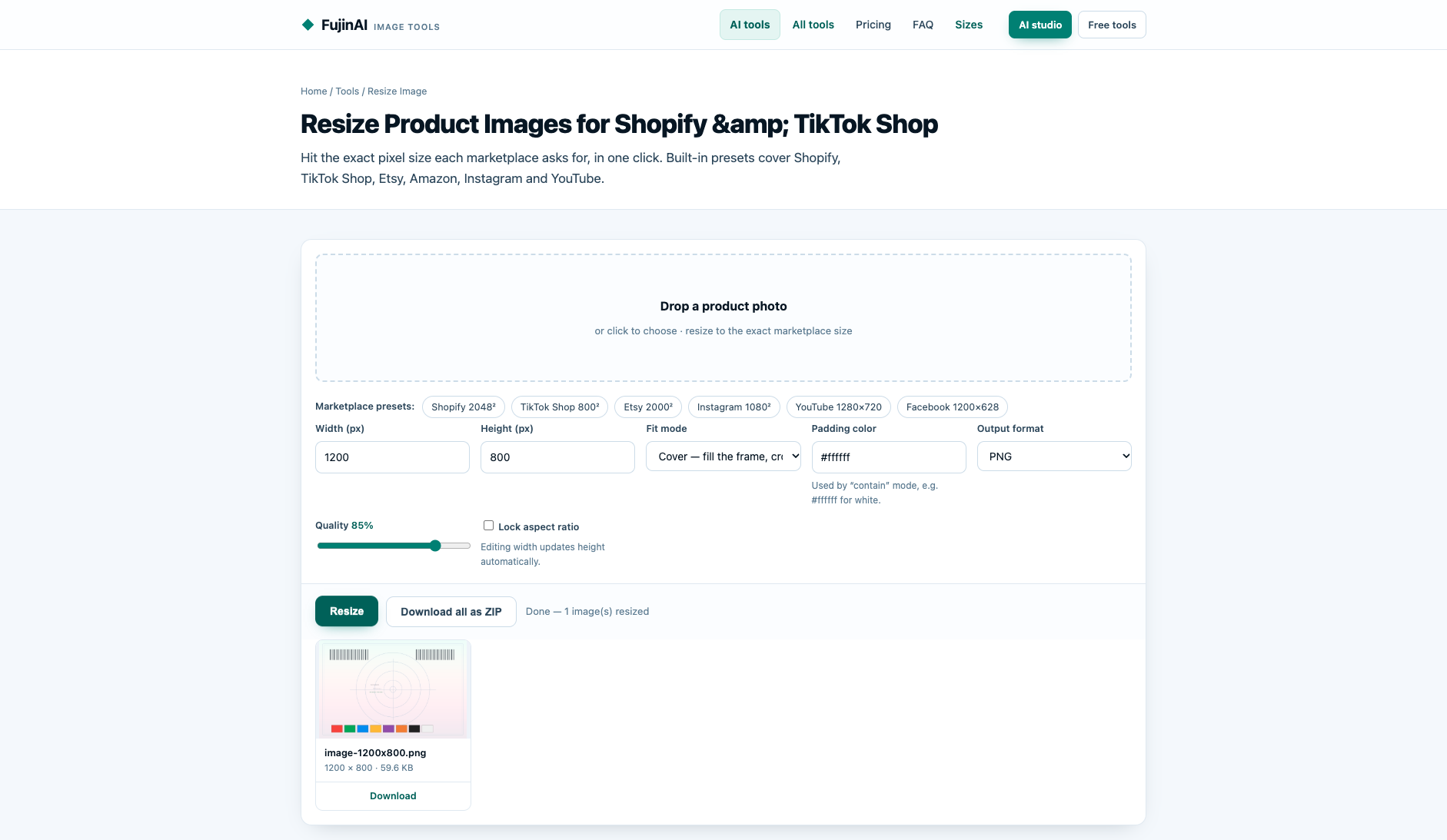
| Original historical observation | Opened https://pimg.pro/ (01_landing.png), added the 2400x1600 benchmark PNG (anchor_imgrsz_v1/image.png), clicked the 50% preset with Keep aspect ratio enabled to target 1200x800 (02_result.png), and downloaded a watermark-free 1200x800 PNG (61,006 bytes, 03_download.png) achieving 100.0% dimension accuracy, PSNR 41.84 dB, and SSIM 0.9986. | Uploaded 2400×1600 standard anchor, set target 1200×800 PNG format, and completed local resizing in 0.15 seconds with exact dimensions and sharp resampling. |
|---|
| Suitable uses · historical assessment | Users seeking strict local-only privacy (zero server uploads), lossless PNG export, and exact pixel resizing without sign-up. | |
|---|
| Result & output evidence | | |
|---|
| Delivery capabilities |
|---|
| Recorded export specifications | 1200 × 800 · PNG · No watermark in test | 1200 × 800 · PNG · Check watermark record |
|---|
| Historical specification note · not an official maximum | 1200x800 (No-signup exact-dimension watermark-free native PNG, 61,006 bytes) | 1200×800 (Native aspect ratio zero-watermark PNG export without login) |
|---|
| Watermark observation | | |
|---|
| Batch & API | Supports multi-image infinite canvas combining, cropping, exact resizing, and clipboard copy (no server API) | |
|---|
| Recorded free-tier dimensions | | |
|---|
| Attached file dimensions | | |
|---|
| Speed & reliability |
|---|
| Timing observation | Recorded local processing time: 0.2s · End-to-end reference: 0.2s | Network-observed server wait: 0.15s · End-to-end reference: 0.15s |
|---|
| Date & fixture | 2026-11-20 · anchor_imgrsz_v1 · US-West (California) | 2026-11-15 · anchor_imgrsz_v1 · US-West (California, AS2914) |
|---|
| Repeated tests & reliability | No standardized repetition count, success rate or variability range is recorded. | No standardized repetition count, success rate or variability range is recorded. |
|---|
| Interaction experience |
|---|
| Account requirements | | |
|---|
| Sign-in methods | No registration or login required; works immediately for guests | No login required; direct browser operation and download |
|---|
| Manual adjustment | | |
|---|
| Interaction observations | | |
|---|
| Background & reputation |
|---|
| Service lifecycle notice | | |
|---|
| Operator | | |
|---|
| Recorded origin | | |
|---|
| Domain history record | | |
|---|
| Background & reputation assessment | | |
|---|
| External reputation record | | |
|---|
| Engineering & privacy |
|---|
| Processing location | | Processing location unconfirmed |
|---|
| Third-party tracking record | Cloudflare · PVUV (pvuv.ai) | No third-party services listed in this record; this is not proof that none exist. |
|---|
| Engineering & privacy assessment | | |
|---|
| Retention statement | This flow runs locally; post-close deletion not independently verified | Explicit retention period unconfirmed; inspect policy record |
|---|
| Evaluation basis |
|---|
| Pricing transparency | | |
|---|
| Interaction restraint | | |
|---|
| Background & reputation | | |
|---|
| Engineering & privacy | | |
|---|
| Task quality | 61 / 65 Target: 1200×800 · Aspect Ratio Maintained: Yes · Dimension Acc: 100% · PSNR: 41.84 dB · SSIM: 0.9986 Scores & evidence → | 61 / 65 Target: 1200×800 · Aspect Ratio Maintained: Yes · Dimension Acc: 100% · PSNR: 41.84 dB · SSIM: 0.9986 Scores & evidence → |
|---|
| Deliverable specifications | 20 / 20 Watermarked or blocked free export (0/8); Export spec: 1200x800 (No-signup exact-dimension watermark-free native PNG, 61,006 bytes) Scores & evidence → | 20 / 20 Clean unwatermarked export (8/8); Export spec: 1200×800 (Native aspect ratio zero-watermark PNG export without login) Scores & evidence → |
|---|
| Processing speed | 15 / 15 Network-observed server wait: 0.2s (API mode: client_side; network upload 0s / end-to-end 0.2s shown for reference only, never penalized) Scores & evidence → | 15 / 15 Network-observed server wait: 0.15s (API mode: client_side; network upload 0s / end-to-end 0.15s shown for reference only, never penalized) Scores & evidence → |
|---|