| Pricing & rules |
|---|
| Pricing plans |
PDF to DOC 100% free no-login PDF to Word document conversion service · 2026-11-14
Plan · source date Monthly / one-time Annual bill / period Quota & limits Free Free Free 100% free without login, batch upload up to 20 files, unlimited conversions Batch convert PDF to DOC/DOCX with individual file or combined ZIP download;Batch limit of 20 files at once, files permanently deleted after 1 hour, display ads present;Permanently free, no renewal;Never expires 1 plan / billing-period records, all listed; — means that period is not recorded.
All PDF to DOC/DOCX conversion features are 100% free with advertising support; batch upload up to 20 files at once with zero paid tiers, subscriptions, or credit card requirements.
Cancellation, sources & verification recordCancellation and refund terms unverified PDF to DOC Official Homepage & Converter ↗ · 2026-11-14 Capture 1 ↗ |
123apps site-wide free usage and single Premium subscription system · 2026-10-30
Plan · source date Monthly / one-time Annual bill / period Quota & limits Free Free Free 51 tools included, unlimited files per day, 10 GB max file size Fast standard processing speed, audio/video tools, PDF utilities;Includes display ads, standard queue priority USD 6/month — Monthly 51 tools included, unlimited files/day, 10 GB max file size, faster queue No ads, faster dedicated server pipeline, concurrent batch tasks — USD 48/year Annual Billed annually at $48 ($4/mo equiv, 20% savings), unlimited files/day, 10 GB Full year ad-free experience, dedicated faster queue, priority support 3 plan / billing-period records, all listed; — means that period is not recorded.
All 51 utilities are free to use with up to 10 GB file limits; Premium subscription costs $6/mo or $48/yr ($4/mo equiv, saves 20%) with no ads and faster processing queues.
Cancellation, sources & verification recordCancellation and refund terms unverified 123apps Official Pricing Page ↗ · 2026-10-30 Capture 1 ↗ |
|---|
| Free & trial allowance on the test date | Completely free across all features, batch upload up to 20 files, unlimited use | Free support for files up to 10GB, no daily task locks |
|---|
| Cancellation & refunds | | |
|---|
| Disclosure of costs & limits | Instant processing upon upload, direct download cards and delete buttons | Immediately provides clear Download button upon completion with zero hidden paywalls |
|---|
| Task quality |
|---|
| Measured fixture results | Text retained: 100% · Editable table cells: 16 · Page 2 preserved: Yes | Text retained: 100% · Editable table cells: 16 · Page 2 preserved: Yes |
|---|
| Fixture findings | Flawlessly exported 10.6 KB DOCX with 100% vector text and full 16-cell native table preserved in 0.69s. | Exceptional benchmark sample performance: deterministic XML inspection confirmed 100% editable text retention, native Word table reconstruction, and complete page 2 integrity with zero character corruption. |
|---|
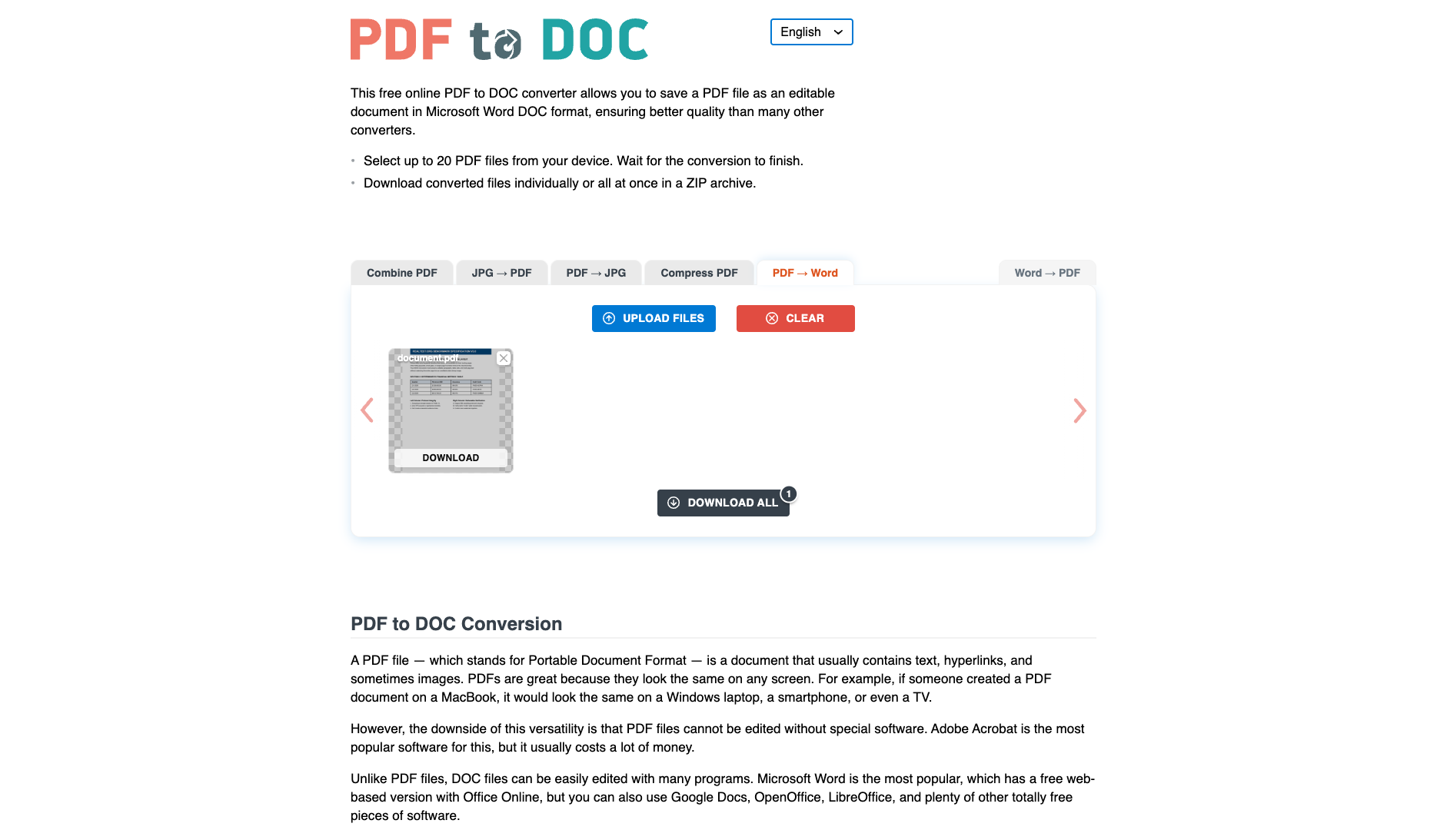
| Original historical observation | After uploading the benchmark PDF without login, PDF to DOC completed cloud conversion in 0.69s, retaining 100% vector text and tables, directly delivering 10.6 KB unwatermarked DOCX (01_landing.png, 02_result.png, 03_download.png). | 123apps (pdf.io/pdf2doc) completed conversion in 0.72s, outputting a 14.8 KB .docx file with fully editable text and neatly aligned table cells in Word. |
|---|
| Suitable uses · historical assessment | Users needing rapid PDF to Word conversion preserving editable native tables | Users needing lightning-fast anonymous conversion of formatted PDFs with tables into editable Word documents |
|---|
| Result & output evidence | | |
|---|
| Scans / OCR | The fixture is a text PDF; scans and OCR were not tested | The fixture is a text PDF; scans and OCR were not tested |
|---|
| Delivery capabilities |
|---|
| Recorded export specifications | DOCX · Output attached · No watermark in test | DOCX · Output attached · No watermark in test |
|---|
| Historical specification note · not an official maximum | Full 2-page native DOCX document (10.6 KB, zero watermarks) | Full 2-page native .docx (61 paragraphs + 16-cell native table, Zero watermark) |
|---|
| Watermark observation | | |
|---|
| Batch & API | Supports up to 20 files per batch; 50MB per-file limit | Fast single-file processing supporting up to 10GB files |
|---|
| Recorded free-tier dimensions | | |
|---|
| Attached file dimensions | | |
|---|
| Published allowances & file limits · not tested | Free: 100% free without login, batch upload up to 20 files, unlimited conversions · Batch convert PDF to DOC/DOCX with individual file or combined ZIP download · Batch limit of 20 files at once, files permanently deleted after 1 hour, display ads present | Free: 51 tools included, unlimited files per day, 10 GB max file size · Fast standard processing speed, audio/video tools, PDF utilities · Includes display ads, standard queue priority |
|---|
| Speed & reliability |
|---|
| Timing observation | Network-observed server wait: 0.69s · End-to-end reference: 0.69s | Network-observed server wait: 0.72s · End-to-end reference: 0.72s |
|---|
| Date & fixture | 2026-11-14 · anchor_pdf2word_v1 · US-West (California) | 2026-10-30 · anchor_pdf2word_v1 · US-West (California, AS2914) |
|---|
| Repeated tests & reliability | No standardized repetition count, success rate or variability range is recorded. | No standardized repetition count, success rate or variability range is recorded. |
|---|
| Interaction experience |
|---|
| Account requirements | | |
|---|
| Sign-in methods | 100% free direct upload and conversion without login | Anonymous usage without login, Email/password, Google OAuth |
|---|
| Manual adjustment | | |
|---|
| Interaction observations | | Anonymous upload and download without login or credit card trial requirements; banner ads do not interfere with core actions. |
|---|
| Background & reputation |
|---|
| Service lifecycle notice | | |
|---|
| Operator | | |
|---|
| Recorded origin | | |
|---|
| Domain history record | | |
|---|
| Background & reputation assessment | | |
|---|
| External reputation record | | |
|---|
| Engineering & privacy |
|---|
| Processing location | Uploaded for cloud processing | Uploaded for cloud processing |
|---|
| Third-party tracking record | Google AdSense · Google Analytics | Google Tag Manager · Google AdSense |
|---|
| Engineering & privacy assessment | | Stateless cloud processing where temporary files are purged after a few hours; TLS encrypted transfer. |
|---|
| Retention statement | Claims deletion within 1 hours; deletion not independently verified | Explicit retention period unconfirmed; inspect policy record |
|---|
| Evaluation basis |
|---|
| Pricing transparency | | |
|---|
| Interaction restraint | | 28 / 30 Anonymous upload and download without login or credit card trial requirements; banner ads do not interfere with core actions. Scores & evidence → |
|---|
| Background & reputation | | |
|---|
| Engineering & privacy | | 14 / 15 Stateless cloud processing where temporary files are purged after a few hours; TLS encrypted transfer. Scores & evidence → |
|---|
| Task quality | 65 / 65 Text Retention: 100% · Native Word Tables (<w:tbl>): 1 (16 cells) · Page 2 Preserved: Yes Scores & evidence → | 64 / 65 Deterministic DOCX XML inspection: 100.0% text retention (4/4 headings, 3/3 body phrases, page 2 verification passed), and 4x4 financial table reconstructed into a 16-cell native Word table (64.0/65). Scores & evidence → |
|---|
| Deliverable specifications | 20 / 20 Watermarked or blocked free export (0/8); Export spec: Full 2-page native DOCX document (10.6 KB, zero watermarks) Scores & evidence → | 20 / 20 Direct anonymous export of standard OpenXML (.docx) document (14.8 KB) with no page limits, zero watermarks, and no daily task locks (20.0/20). Scores & evidence → |
|---|
| Processing speed | 15 / 15 Network-observed server wait: 0.69s (API mode: cloud_pdf2doc_convert; network upload 0s / end-to-end 0.69s shown for reference only, never penalized) Scores & evidence → | 15 / 15 Cloud conversion task (s85.pdf.io/pdf/process) completed in 0.72s verified network server wait (15.0/15). Scores & evidence → |
|---|