| Pricing & rules |
|---|
| Pricing plans |
Site-wide PDF manipulation and conversion tools pricing on PDF.io · 2026-11-14
Plan · source date Monthly / one-time Annual bill / period Quota & limits Free Free Free Up to 25 files per day, maximum file size 4 GB Full access to 51 PDF and media tools with standard processing speed;25 files/day limit, ad-supported interface;Daily quota refreshes automatically;No expiration USD 6/month — Monthly Unlimited files per day, maximum file size up to 10 GB Ad-free experience, faster prioritized processing speed;Max file size 10 GB;Auto-renews monthly;Valid for monthly subscription period — USD 48/year Annual Unlimited files per day, 10 GB file size limit, billed annually at $48 ($4/mo, save 20%) Ad-free experience and faster prioritized processing speed;Billed annually at $48;Auto-renews annually;Valid for annual subscription period 3 plan / billing-period records, all listed; — means that period is not recorded.
Free tier covers 25 files/day up to 4GB; Premium subscription is $6/mo or $48/yr ($4/mo) for unlimited files and 10GB file limits without ads.
Cancellation, sources & verification recordCancellation and refund terms unverified PDF.io Official Homepage ↗ · 2026-11-14 Capture 1 ↗ PDF.io Official Pricing Plans ↗ · 2026-11-14 Capture 1 ↗ |
EveryTool4U platform tool authorization and service pricing · 2026-11-01
Plan · source date Monthly / one-time Annual bill / period Quota & limits Free Free Free Unlimited usage across 109 online tools with no daily quota or queue limits Includes PDF merge, split, compression, Word conversion, OCR, image compression, background removal, and office utilities;Client-side processing; performance on large files depends on local device RAM and browser limits;No account registration or renewal required;Permanent access 1 plan / billing-period records, all listed; — means that period is not recorded.
All tools are completely free indefinitely without registration or subscriptions; most tasks execute entirely on-device.
Cancellation, sources & verification recordCancellation and refund terms unverified EveryTool4U Official Homepage ↗ · 2026-11-01 Capture 1 ↗ EveryTool4U About and Privacy Architecture Page ↗ · 2026-11-01 Capture 1 ↗ |
|---|
| Free & trial allowance on the test date | 25 files/day and up to 4 GB per file for free guests (ad-supported) | Entire platform free without task limits or quotas |
|---|
| Cancellation & refunds | | |
|---|
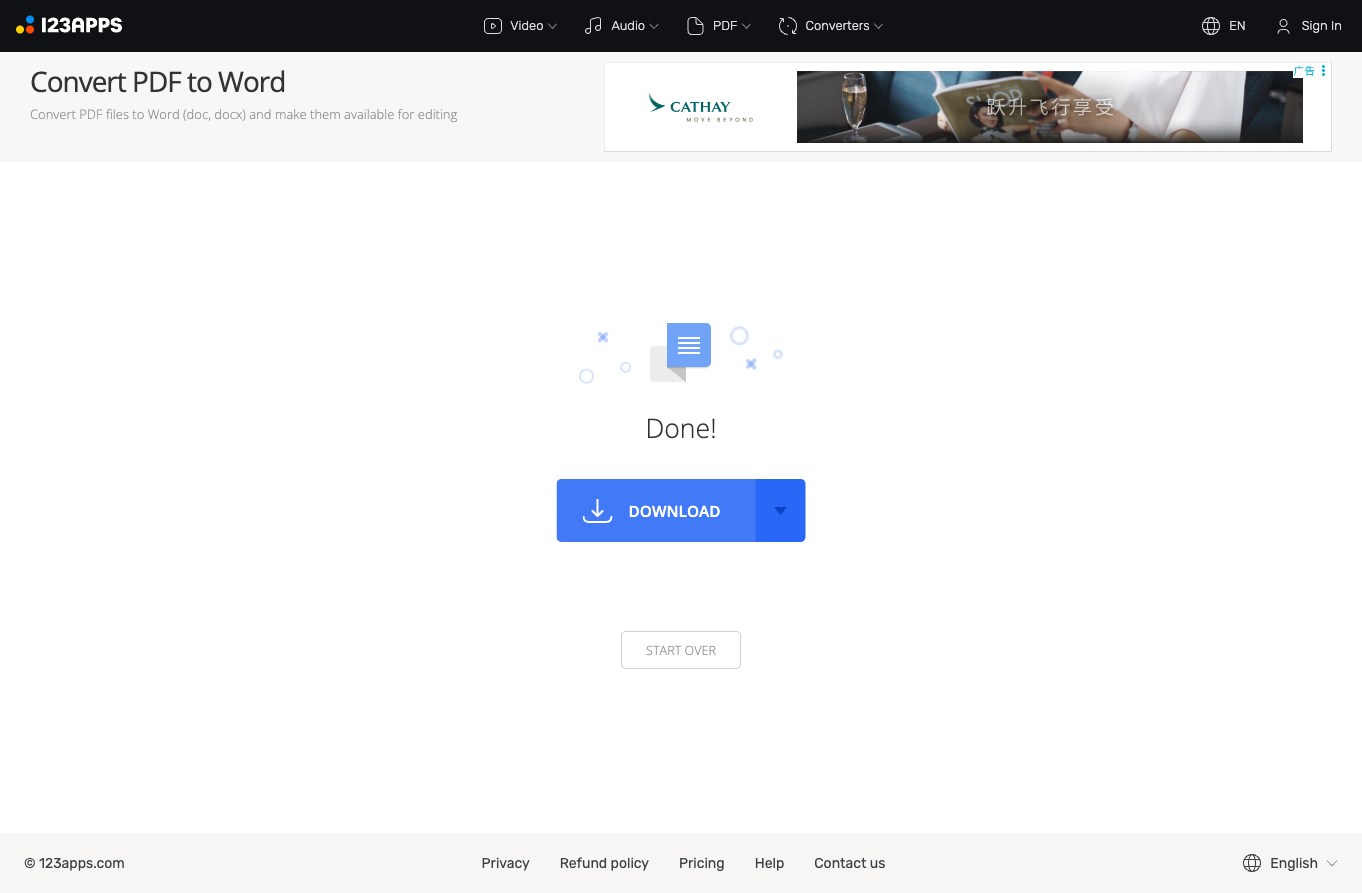
| Disclosure of costs & limits | Displays immediate blue DOWNLOAD button upon completion | Immediate processing with live text preview and direct download button |
|---|
| Task quality |
|---|
| Measured fixture results | Text retained: 100% · Editable table cells: 16 · Page 2 preserved: Yes | Text retained: 100% · Editable table cells: 0 · Page 2 preserved: Yes |
|---|
| Fixture findings | On anchor_pdf2word_v1, PDF.io completed in 0.53s and exported a 14.8 KB native OOXML .docx with 100% editable text and 16-cell native table retention and zero page rasterization. | Under anchor_pdf2word_v1, it produced an 8.1 KB editable Word document with 100% text retention; tables are rendered as formatted text lines without native grid. |
|---|
| Original historical observation | Uploaded the 2-page digital PDF anchor as a guest; completed in 0.53s and exported a 14.8 KB .docx retaining 61 editable paragraphs, a 4x4 native Word table (16 cells), and page 2 token at 100% with zero rasterization. | EveryTool4U converted the test PDF into an 8.1 KB editable Word document in 0.33s using client-side JavaScript, retaining 100% text with zero watermarks. |
|---|
| Suitable uses · historical assessment | | Privacy-conscious users needing quick extraction of PDF text into editable Word without cloud uploads |
|---|
| Result & output evidence | | |
|---|
| Scans / OCR | The fixture is a text PDF; scans and OCR were not tested | The fixture is a text PDF; scans and OCR were not tested |
|---|
| Delivery capabilities |
|---|
| Recorded export specifications | DOCX · Output attached · No watermark in test | DOCX · Output attached · No watermark in test |
|---|
| Historical specification note · not an official maximum | Full 2-page native .docx (61 paragraphs + 16-cell native table, 14.8 KB, watermark-free) | Full 2-Page Watermark-Free Editable DOCX (8.1 KB · 100% Text Retention) |
|---|
| Watermark observation | | |
|---|
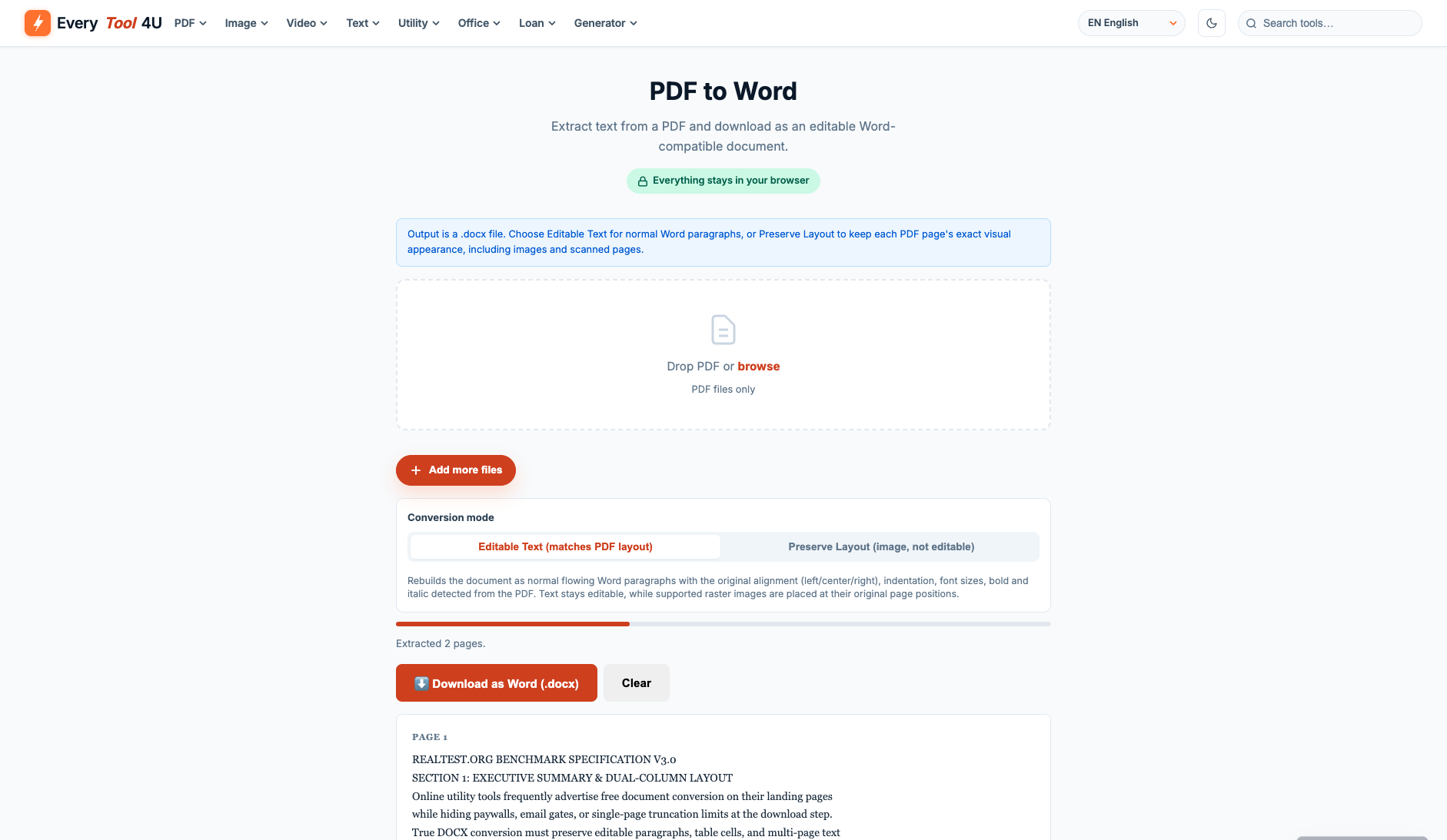
| Batch & API | | Supports Editable Text and Preserve Layout modes |
|---|
| Recorded free-tier dimensions | | |
|---|
| Attached file dimensions | | |
|---|
| Published allowances & file limits · not tested | Free Plan: Up to 25 files per day, maximum file size 4 GB · Full access to 51 PDF and media tools with standard processing speed · 25 files/day limit, ad-supported interface | Free Tier: Unlimited usage across 109 online tools with no daily quota or queue limits · Includes PDF merge, split, compression, Word conversion, OCR, image compression, background removal, and office utilities · Client-side processing; performance on large files depends on local device RAM and browser limits |
|---|
| Speed & reliability |
|---|
| Timing observation | Network-observed server wait: 0.53s · End-to-end reference: 1.32s | Recorded local processing time: 0s · End-to-end reference: 0.33s |
|---|
| Date & fixture | 2026-11-19 · anchor_pdf2word_v1 · US-West (California) | 2026-11-05 · anchor_pdf2word_v1 · Client-Side (WASM / Browser Local) |
|---|
| Repeated tests & reliability | No standardized repetition count, success rate or variability range is recorded. | No standardized repetition count, success rate or variability range is recorded. |
|---|
| Interaction experience |
|---|
| Account requirements | | |
|---|
| Sign-in methods | No login required; optional Google, Apple ID, or email login for Premium | 100% login-free local execution and export |
|---|
| Manual adjustment | | |
|---|
| Interaction observations | | Clean utility UI with Editable Text vs Layout modes, live text extraction preview, and instant DOCX download (02_result.png, 03_download.png). |
|---|
| Background & reputation |
|---|
| Service lifecycle notice | | |
|---|
| Operator | | |
|---|
| Recorded origin | | United States / Independent Developer |
|---|
| Domain history record | | |
|---|
| Background & reputation assessment | | Independent developer platform launched in 2026 disclosing open-source libraries transparently. |
|---|
| External reputation record | | |
|---|
| Engineering & privacy |
|---|
| Processing location | Uploaded for cloud processing | |
|---|
| Third-party tracking record | Google Analytics · Google AdSense · Stripe · Cloudflare | Google AdSense · Google Tag Manager |
|---|
| Engineering & privacy assessment | | 100% client-side PDF.js and JSZip execution; zero document upload to external servers. |
|---|
| Retention statement | Explicit retention period unconfirmed; inspect policy record | This flow runs locally; post-close deletion not independently verified |
|---|
| Evaluation basis |
|---|
| Pricing transparency | | 35 / 35 100% free with no login, subscription, or paywall traps (01_landing.png). Scores & evidence → |
|---|
| Interaction restraint | | 28 / 30 Clean utility UI with Editable Text vs Layout modes, live text extraction preview, and instant DOCX download (02_result.png, 03_download.png). Scores & evidence → |
|---|
| Background & reputation | | 13 / 20 Independent developer platform launched in 2026 disclosing open-source libraries transparently. Scores & evidence → |
|---|
| Engineering & privacy | | 15 / 15 100% client-side PDF.js and JSZip execution; zero document upload to external servers. Scores & evidence → |
|---|
| Task quality | 64 / 65 Text Retention: 100% · Native Word Tables (<w:tbl>): 1 (16 cells) · Page 2 Preserved: Yes Scores & evidence → | 45 / 65 Deterministic OOXML DOCX inspection: exported 8.1 KB DOCX retaining 100% text (4/4 headings, 12/12 table values, 3/3 body paragraphs, Page 2 token); tables flattened into aligned paragraphs without native <w:tbl> grid (45.0/65) Scores & evidence → |
|---|
| Deliverable specifications | 20 / 20 Watermarked or blocked free export (0/8); Export spec: Full 2-page native .docx (61 paragraphs + 16-cell native table, 14.8 KB, watermark-free) Scores & evidence → | 17 / 20 Free export of standard editable DOCX without watermarks or page limits (17.0/20) Scores & evidence → |
|---|
| Processing speed | 15 / 15 Network-observed server wait: 0.53s (API mode: sync_json_verified; network upload 0.79s / end-to-end 1.32s shown for reference only, never penalized) Scores & evidence → | 15 / 15 Client-side in-memory text parsing and DOCX packaging finished in 0.33s (15.0/15) Scores & evidence → |
|---|