| Pricing & rules |
|---|
| Pricing plans |
iLovePDF USD single-seat web plans; 25+ users quoted · 2026-11-20
Plan · source date Monthly / one-time Annual bill / period Quota & limits Free Free Free Basic tools; limited documents, batching and file size, without numeric limits. USD 9/month USD 60/year Monthly Single seat; unlimited document processing across web, mobile and desktop, with batching; 2,000 AI credits are not a conversion count. Annual Single-seat annual bill USD 60 ($5/mo equivalent); same capabilities as monthly. Contact sales Quoted Quoted 25+ users, contact sales; custom contracts and SSO. — USD 0/year Annual Students and academics can apply for one free year of Premium, subject to eligibility. 5 plan / billing-period records, all listed; — means that period is not recorded.
Re-verified 2026-11-20: Monthly billing US$9/month and Yearly billing US$5/month (US$60 Billed annually, -42%, 1–25 seats) remain unchanged; Basic free limits are not numerically specified, Business (25+ seats) is quote-based, and free 1-year Education Premium requires eligibility verification.
Verification has gaps; unknown prices and quotas are not inferred.
Cancellation, sources & verification recordUpgrade, downgrade or cancel in account settings. The page says prices include applicable VAT, with regional invoice treatment. Refund terms were not separately verified. Official pricing page (Yearly and Monthly toggle captures) ↗ · 2026-11-20 Capture 1 ↗ · Capture 2 ↗ Official feature and pricing page ↗ · 2026-10-20 Capture 1 ↗ Official feature and pricing page ↗ · 2026-10-20 Capture 1 ↗ |
ClearPDF in-browser zero-upload core tools and server credits navigation · 2026-11-22
Plan · source date Monthly / one-time Annual bill / period Quota & limits Free Free Free Unlimited free usage for in-browser PDF merge, split, watermark, and reorder without sign-up or watermarks 1 plan / billing-period records, all listed; — means that period is not recorded.
Core utilities (Merge, Split, Watermark, Rotate) are completely free with no registration or watermarks; server-hosted tools require an account and detailed price tiers are gated behind login.
Verification has gaps; unknown prices and quotas are not inferred.
Cancellation, sources & verification recordCancellation and refund terms unverified ClearPDF official homepage and toolkit directory ↗ · 2026-11-15 Capture 1 ↗ ClearPDF sign-in and server credits gate ↗ · 2026-11-15 Capture 1 ↗ ClearPDF Merge PDF in-browser processing workflow ↗ · 2026-11-15 Capture 1 ↗ |
|---|
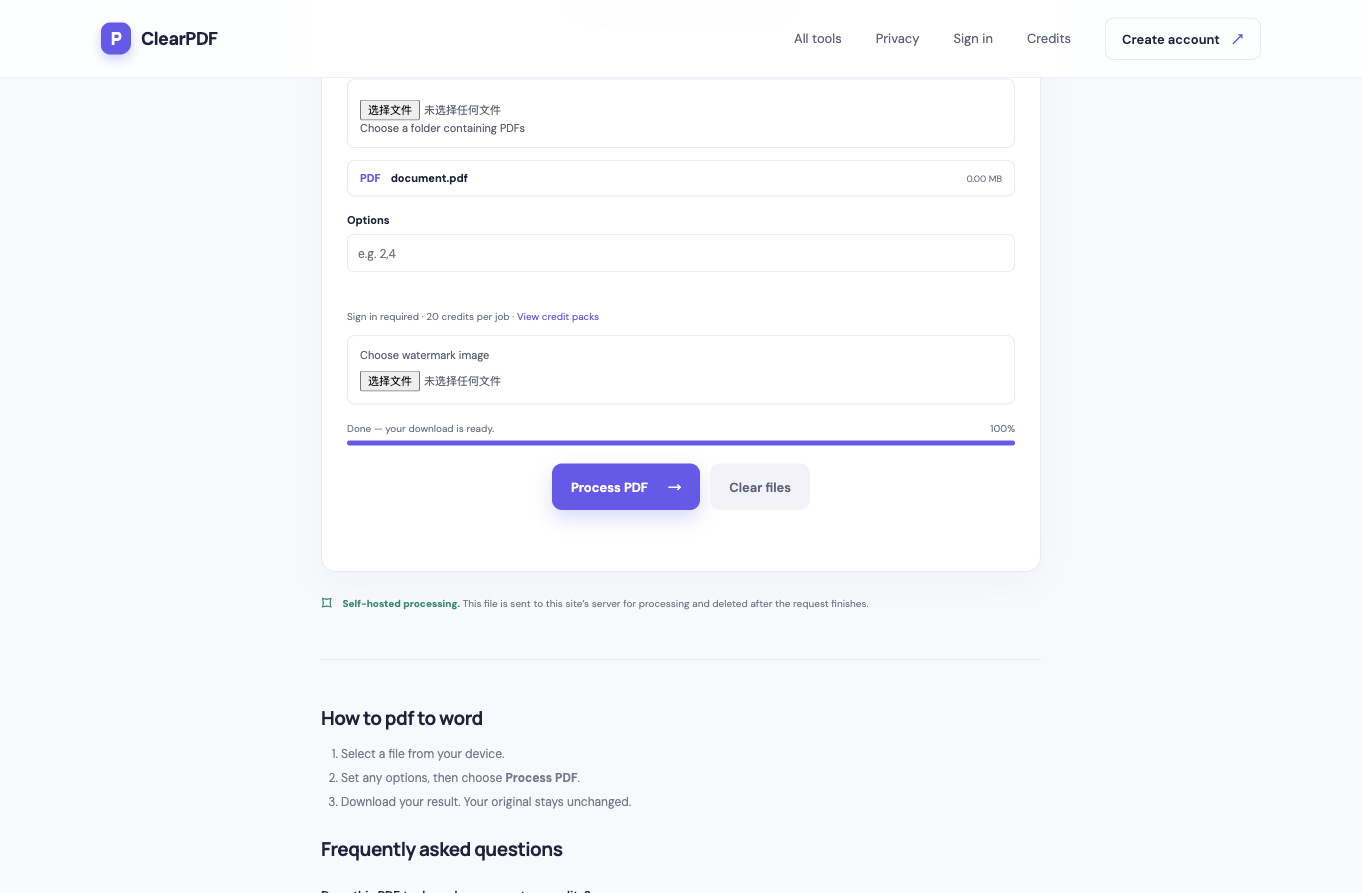
| Free & trial allowance on the test date | Free tier converts standard digital PDFs without login; scanned OCR and large batches require Premium | Sign-in required; new accounts receive 100 free credits (20 credits per PDF-to-Word job = 5 free jobs) |
|---|
| Cancellation & refunds | Upgrade, downgrade or cancel in account settings. The page says prices include applicable VAT, with regional invoice treatment. Refund terms were not separately verified. | |
|---|
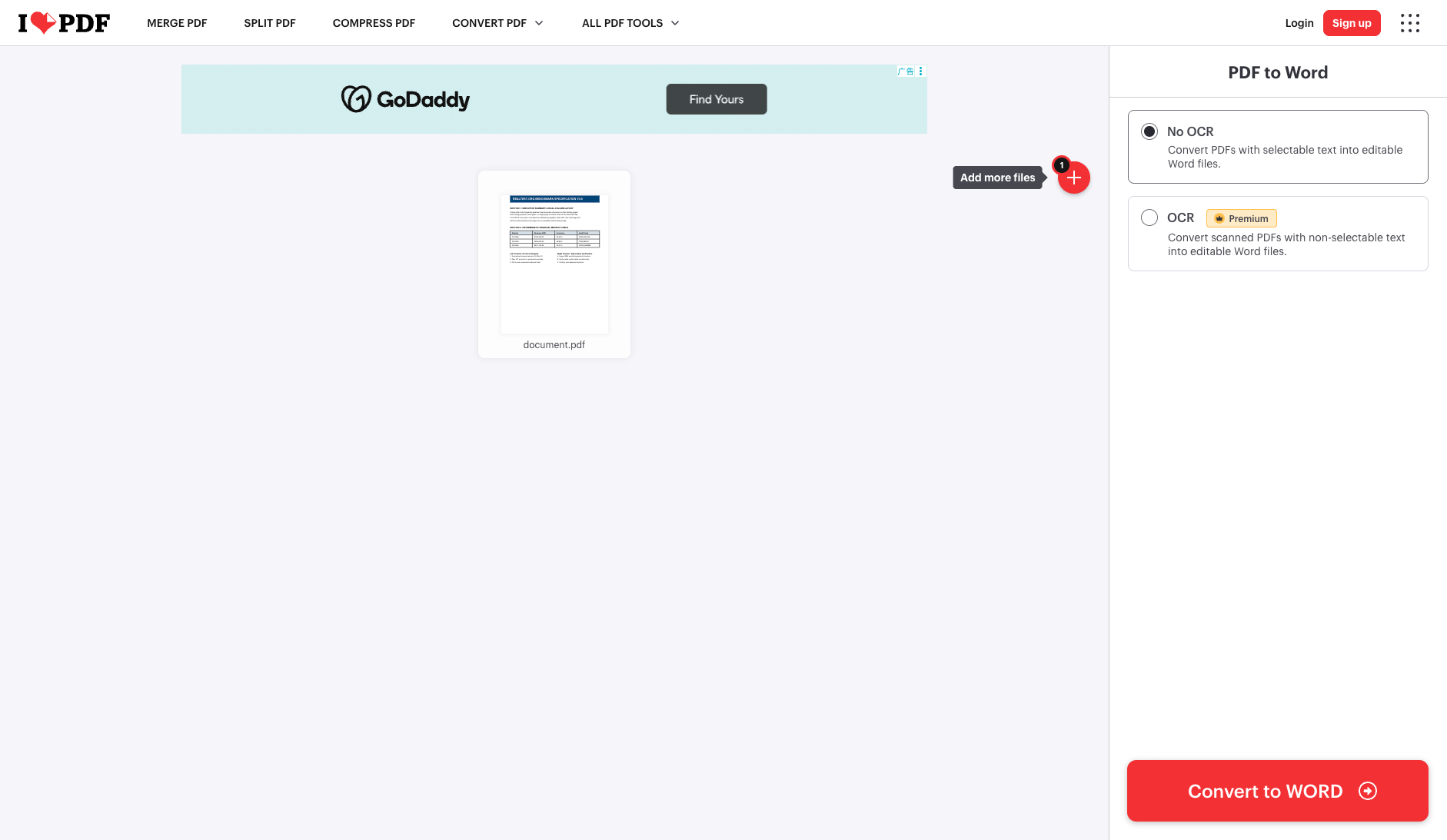
| Disclosure of costs & limits | Clearly labels No OCR (Free) vs OCR (Premium) on the right panel before clicking Convert | Discloses 'Sign in required · 20 credits per job' upfront |
|---|
| Task quality |
|---|
| Measured fixture results | Text retained: 100% · Editable table cells: 16 · Page 2 preserved: Yes | Text retained: 100% · Editable table cells: 18 · Page 2 preserved: Yes |
|---|
| Fixture findings | Text and tables were retained for this text PDF; scan OCR is a separate paid capability and was not tested. | Exported a valid 37.6 KB OOXML .docx with 32 paragraphs, 3 native tables (18 cells), 0 embedded images, and 100.0% retention of 4/4 headings, 12/12 table cells, and page 2. |
|---|
| Original historical observation | iLovePDF states its free vs. paid OCR boundary upfront before you click convert, and its 3.2s auto-downloaded 10.0 KB .docx achieves 100% text retention and 16-cell native Word table reconstruction upon XML inspection (02_workspace.png, 03_download.png). | Uploaded the 2-page PDF anchor and clicked Process PDF; conversion finished in 4.66s and auto-downloaded converted.docx (37.6 KB). |
|---|
| Suitable uses · historical assessment | Professionals and students seeking fast (3.2s auto-download), high-fidelity conversion of standard digital PDF documents without logging in | Users converting digital PDFs with tables into truly editable Word documents without rasterization |
|---|
| Result & output evidence | | |
|---|
| Scans / OCR | The fixture is a text PDF; scans and OCR were not tested | The fixture is a text PDF; scans and OCR were not tested |
|---|
| Delivery capabilities |
|---|
| Recorded export specifications | DOCX · Output attached · No watermark in test | DOCX · Output attached · No watermark in test |
|---|
| Historical specification note · not an official maximum | Full 2-page native .docx (44 paragraphs + 16-cell native Word table, watermark-free) | Native editable .docx (37.6 KB, no watermark, 0 rasterized images) |
|---|
| Watermark observation | | |
|---|
| Batch & API | Supports Google Drive / Dropbox integration and developer REST API | Supports multi-file and folder selection |
|---|
| Recorded free-tier dimensions | | |
|---|
| Attached file dimensions | | |
|---|
| Published allowances & file limits · not tested | Basic: Basic tools; limited documents, batching and file size, without numeric limits. | Free In-Browser Tools: Unlimited free usage for in-browser PDF merge, split, watermark, and reorder without sign-up or watermarks |
|---|
| Speed & reliability |
|---|
| Timing observation | Network-observed server wait: 3.2s · End-to-end reference: 3.7s | Network-observed server wait: 4.66s · End-to-end reference: 4.66s |
|---|
| Date & fixture | 2026-10-18 · anchor_pdf2word_v1 · US-West (California, AS2914) | 2026-11-18 · anchor_pdf2word_v1 · US-West (California, AS2914) |
|---|
| Repeated tests & reliability | No standardized repetition count, success rate or variability range is recorded. | No standardized repetition count, success rate or variability range is recorded. |
|---|
| Interaction experience |
|---|
| Account requirements | | Account required in this test |
|---|
| Sign-in methods | No login required for standard selectable-text PDF conversion | |
|---|
| Manual adjustment | | |
|---|
| Interaction observations | Uploading without login and clicking Convert to WORD reaches the download screen in ~3.2s, triggers automatic browser download, and offers a one-click server delete button. | |
|---|
| Background & reputation |
|---|
| Service lifecycle notice | | |
|---|
| Operator | | |
|---|
| Recorded origin | | |
|---|
| Domain history record | 2010–Present (16-year global PDF utility leader) | |
|---|
| Background & reputation assessment | Independently operated in Barcelona, Spain since 2010 with ISO/IEC 27001 certification. | |
|---|
| External reputation record | | |
|---|
| Engineering & privacy |
|---|
| Processing location | Uploaded for cloud processing | Uploaded for cloud processing |
|---|
| Third-party tracking record | | No third-party services listed in this record; this is not proof that none exist. |
|---|
| Engineering & privacy assessment | End-to-end HTTPS encryption with an instant file-wipe trash button on the download screen and automatic server deletion within 2 hours. | |
|---|
| Retention statement | Claims deletion within 2 hours; deletion not independently verified | Explicit retention period unconfirmed; inspect policy record |
|---|
| Evaluation basis |
|---|
| Pricing transparency | 32 / 35 Upfront on the pre-conversion sidebar, iLovePDF clearly distinguishes free 'No OCR (Convert PDFs with selectable text to editable Word files)' from Crown-badged 'OCR (Scanned PDFs, Premium)', never ambushing users with a paywall after conversion (01_landing.png, 02_workspace.png, 03_download.png). Scores & evidence → | |
|---|
| Interaction restraint | 27 / 30 Uploading without login and clicking Convert to WORD reaches the download screen in ~3.2s, triggers automatic browser download, and offers a one-click server delete button. Scores & evidence → | |
|---|
| Background & reputation | 19 / 20 Independently operated in Barcelona, Spain since 2010 with ISO/IEC 27001 certification. Scores & evidence → | |
|---|
| Engineering & privacy | 14 / 15 End-to-end HTTPS encryption with an instant file-wipe trash button on the download screen and automatic server deletion within 2 hours. Scores & evidence → | |
|---|
| Task quality | 62 / 65 Underlying word/document.xml inspection confirms 100.0% text retention, Page 2 preservation, and 16-cell native Word <w:tbl> reconstruction with faithful typography and margins (62.0/65) Scores & evidence → | 64 / 65 Text Retention: 100% · Native Word Tables (<w:tbl>): 3 (18 cells) · Page 2 Preserved: Yes Scores & evidence → |
|---|
| Deliverable specifications | 18 / 20 Exports a complete watermark-free .docx file (10.0 KB) without login; only scanned OCR and heavy batch concurrency require Premium (18.0/20) Scores & evidence → | 19 / 20 Clean unwatermarked export (8/8); Export spec: Native editable .docx (37.6 KB, no watermark, 0 rasterized images) Scores & evidence → |
|---|
| Processing speed | 13.5 / 15 Fast cloud PDF-to-DOCX engine completes in ~3.2s and auto-triggers download (13.5/15) Scores & evidence → | 13 / 15 Network-observed server wait: 4.66s (API mode: sync; network upload 0s / end-to-end 4.66s shown for reference only, never penalized) Scores & evidence → |
|---|