| Pricing & rules |
|---|
| Pricing plans |
All IDPouch web browser tools on idpouch.app; separate iPhone/iPad App Store in-app purchase tiers are displayed by Apple and are not required for the web tools · 2026-11-21
Plan · source date Monthly / one-time Annual bill / period Quota & limits Free Free Free Unlimited local runs; up to 20 MB per input image (JPG / PNG / WebP / HEIC) ID purpose watermarking (JPG/PNG), front/back ID card to single-page A4/US Letter PDF, target-KB ID photo compression, and HEIC to JPG conversion;Client-side execution depends on browser format support and device memory; photo compressor outputs JPEG only 1 plan / billing-period records, all listed; — means that period is not recorded.
All web tools are 100% free with no login, subscriptions, or watermarks; the separate iOS/iPadOS App Store app is free to download with in-app purchases not needed for web usage.
Cancellation, sources & verification recordCancellation and refund terms unverified IDPouch Official Homepage ↗ · 2026-11-21 Capture 1 ↗ IDPouch Free Online ID Tools Directory ↗ · 2026-11-21 Capture 1 ↗ IDPouch iPhone & iPad App Overview and IAP Scope ↗ · 2026-11-21 Capture 1 ↗ |
JPG to PDF 100% free no-login image to PDF conversion service · 2026-11-14
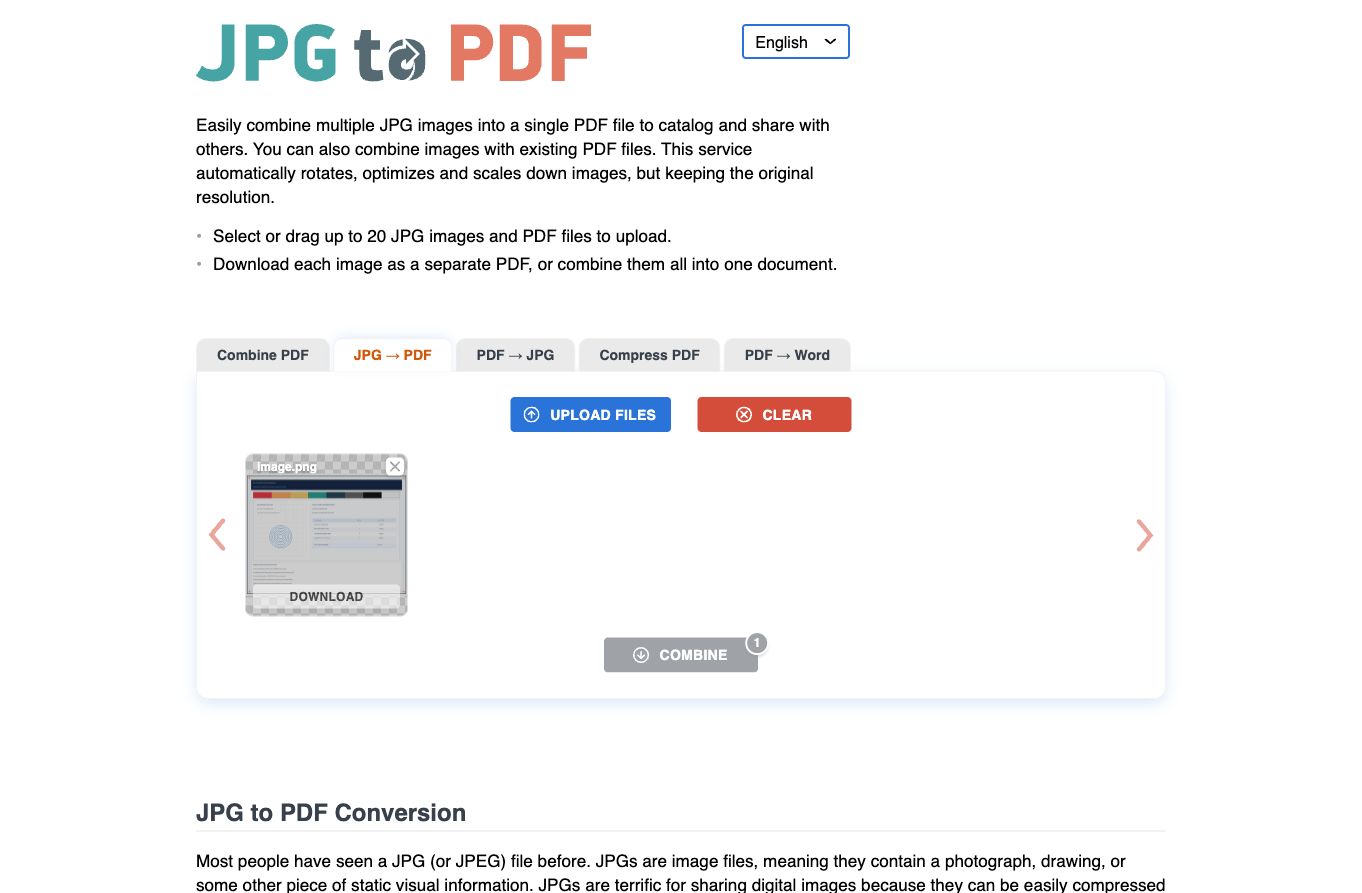
Plan · source date Monthly / one-time Annual bill / period Quota & limits Free Free Free 100% free without login, batch upload up to 20 images, unlimited conversions Convert JPG/PNG images to PDF, download individually or combine all images into a single multi-page PDF;Batch limit of 20 images at once, files permanently deleted after 1 hour, display ads present;Permanently free, no renewal;Never expires 1 plan / billing-period records, all listed; — means that period is not recorded.
All JPG to PDF conversion and combining features are 100% free with advertising support; batch upload up to 20 images at once with zero paid tiers, subscriptions, or credit card requirements.
Cancellation, sources & verification recordCancellation and refund terms unverified JPG to PDF Official Homepage & Converter ↗ · 2026-11-14 Capture 1 ↗ |
|---|
| Free & trial allowance on the test date | 100% free unlimited web runs (up to 20 MB per JPG/PNG/WebP; requires both Front and Back images) | |
|---|
| Cancellation & refunds | | |
|---|
| Disclosure of costs & limits | Landing page states client-side processing and 'Add both sides to export' requirement upfront | |
|---|
| Task quality |
|---|
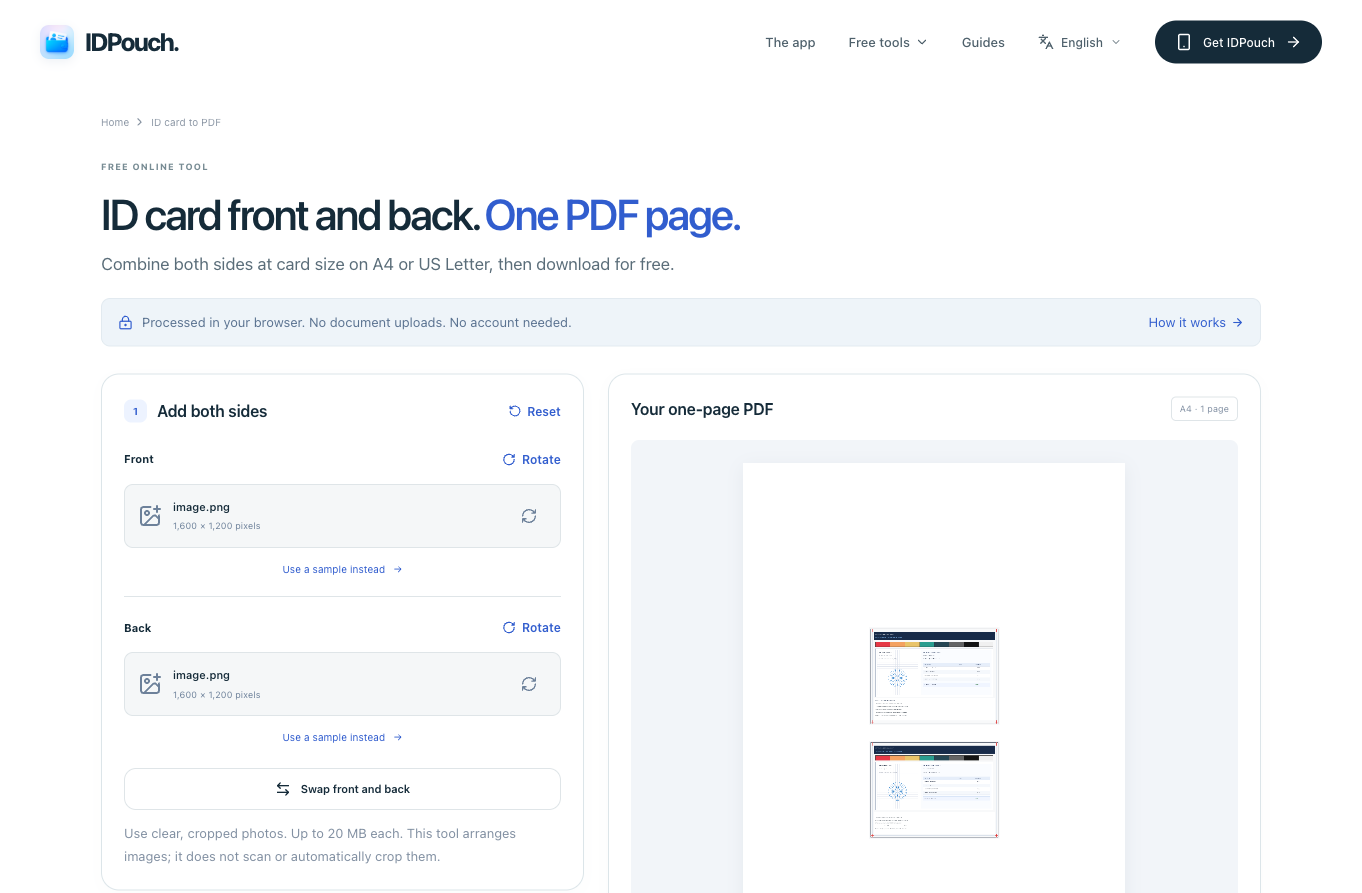
| Measured fixture results | PDF container valid: Yes · Resolution retention: 100% · Exported image width: 1600px · Exported image height: 1200px · Aspect ratio maintained: Yes | PDF container valid: Yes · Resolution retention: 100% · Exported image width: 1600px · Exported image height: 1200px · Aspect ratio maintained: Yes |
|---|
| Fixture findings | The exported 1-page PDF preserves full 1600x1200 native pixel dimensions (100% resolution retention, intact aspect ratio, zero forced watermarks), though its dual-slot design requires both Front and Back images to export. | 100.0% native resolution retention (1600x1200) within a compliant single-page %PDF-1.4 container in 2.0s. |
|---|
| Original historical observation | Opened /tools/id-card-to-pdf/ without login. Because the layout tool keeps 'Download PDF' disabled until both Front and Back slots are populated, loaded the 1600x1200 anchor (anchor_img2pdf_v1/image.png) into both slots under default A4 / ID-1 card / top-and-bottom settings; clicked Download PDF and obtained id-copy-one-page.pdf (122.5 KiB, 1 page) locally in ~2.01s with 1600x1200 pixels fully retained. | |
|---|
| Suitable uses · historical assessment | | |
|---|
| Result & output evidence | | |
|---|
| Delivery capabilities |
|---|
| Recorded export specifications | PDF · Output attached · Check watermark record | PDF · Output attached · Check watermark record |
|---|
| Historical specification note · not an official maximum | 1600x1200 native pixels embedded in 1-page A4/US Letter PDF (122.5 KiB) | 1600x1200 native resolution PDF |
|---|
| Watermark observation | No forced watermark (optional user-entered purpose watermark available) | |
|---|
| Batch & API | | |
|---|
| Recorded free-tier dimensions | | |
|---|
| Attached file dimensions | | |
|---|
| Speed & reliability |
|---|
| Timing observation | Network-observed server wait: 2.01s · End-to-end reference: 2.01s | Network-observed server wait: 2s · End-to-end reference: 2s |
|---|
| Date & fixture | 2026-11-21 · anchor_img2pdf_v1 · US-West (California) | 2026-11-16 · anchor_img2pdf_v1 · US-West (California, AS2914) |
|---|
| Repeated tests & reliability | No standardized repetition count, success rate or variability range is recorded. | No standardized repetition count, success rate or variability range is recorded. |
|---|
| Interaction experience |
|---|
| Account requirements | | |
|---|
| Sign-in methods | No account or sign-in required | |
|---|
| Manual adjustment | | |
|---|
| Interaction observations | | |
|---|
| Background & reputation |
|---|
| Service lifecycle notice | | |
|---|
| Operator | | |
|---|
| Recorded origin | | |
|---|
| Domain history record | | |
|---|
| Background & reputation assessment | | |
|---|
| External reputation record | | |
|---|
| Engineering & privacy |
|---|
| Processing location | Processing location unconfirmed | Uploaded for cloud processing |
|---|
| Third-party tracking record | Google Analytics · Cloudflare Web Analytics | Google AdSense · Google Analytics |
|---|
| Engineering & privacy assessment | | |
|---|
| Retention statement | Explicit retention period unconfirmed; inspect policy record | Claims deletion within 1 hours; deletion not independently verified |
|---|
| Evaluation basis |
|---|
| Pricing transparency | | |
|---|
| Interaction restraint | | |
|---|
| Background & reputation | | |
|---|
| Engineering & privacy | | |
|---|
| Task quality | 65 / 65 Container Valid: Yes · Pages: 1 · Resolution Retention: 100% (1600×1200) · Aspect Ratio Maintained: Yes Scores & evidence → | 65 / 65 Container Valid: Yes · Pages: 1 · Resolution Retention: 100% (1600×1200) · Aspect Ratio Maintained: Yes Scores & evidence → |
|---|
| Deliverable specifications | 20 / 20 Clean unwatermarked export (8/8); Export spec: 1600x1200 native pixels embedded in 1-page A4/US Letter PDF (122.5 KiB) Scores & evidence → | 20 / 20 Clean unwatermarked export (8/8); Export spec: 1600x1200 native resolution PDF Scores & evidence → |
|---|
| Processing speed | 15 / 15 Network-observed server wait: 2.01s (API mode: client_side; network upload 0s / end-to-end 2.01s shown for reference only, never penalized) Scores & evidence → | 14.5 / 15 Network-observed server wait: 2s (API mode: cloud_backend_conversion; network upload 0.3s / end-to-end 2s shown for reference only, never penalized) Scores & evidence → |
|---|