See your options side by side
Choose one task and 2–4 tools. Compare pricing, output, test results and trust.
Test scope & comparison notes
These are recorded facts, not a unified ranking. Tested tiers and scope are not consistently recorded. Read pricing with its date and timing with its conditions. Privacy observations reflect visible flows and statements, not a security audit.
Cross-task capability coverage across selected products
Each product is scored independently per task edge; switch tasks below while keeping shared products selected| Task edge | Nero AI | Optimizilla | Switch / compare |
|---|---|---|---|
| Background removal | 80/100 2000 × 2000 · PNG | Not tested in topic | Compare in task topic → |
| Image compression | 88/100 2048 × 2048 · PNG | 88/100 2048 × 2048 · PNG | Active task |
| Image upscaling | 84/100 2048 × 2048 · PNG | Not tested in topic | Compare in task topic → |
| Object removal | 77/100 2000 × 2000 · PNG | Not tested in topic | Compare in task topic → |
| Image generation | 91/100 1024 × 1024 · PNG | Not tested in topic | Compare in task topic → |
| Photo restoration | 79/100 JPEG · Output attached | Not tested in topic | Compare in task topic → |
Select at least 2 tools to compare
You can also filter a task page first, then compare your shortlist.
Browse this task →| Criterion | Nero AI Image Compressor Image compression 88/100 Seven-aspect task score Exports a full 2048×2048 watermark-free PNG for 1 free credit with three compression modes and high fidelity (38.19 dB PSNR), cutting file size by roughly half. Tested export 2048 × 2048 · PNG Historical test · 2026-10-23 | Optimizilla (ImageCompressor.com) Image compression 88/100 Seven-aspect task score Free login-free on-device processing offers color controls and about 58% PNG reduction; download-like and fullscreen ads create misclick risk. Tested export 2048 × 2048 · PNG Historical test · 2026-10-18 |
|---|---|---|
| Pricing & rules | ||
| Pricing plans | Nero AI web plans (Free / Standard / Yearly promo / Business); USD · 2026-10-21 Plan · source date Monthly / one-time Annual bill / period Quota & limits Free2026-10-21 ↗ Free Free Free 5 free guest runs without login; 10 one-time credits per registered account (max 1000×1000px upload, 5 images/batch; 2× costs 1 credit, 4× costs 2 credits). Standard Monthly (300 credits)2026-10-21 ↗ USD 21.95/month — Monthly 300 credits/month (promotional USD 21.95/month, regular USD 24.99/month); up to 4000×4000px upload, 30 images/batch, priority processing, and 8× upscaling. Standard Yearly (3,000 credits/yr)2026-10-21 ↗ — Annual price not verified Annual 3,000 credits/year; promotional banner displays USD 7.66/month equivalent. Public page displays only the 7.66 USD/month equivalent without showing the annual invoice total before login. Business2026-10-21 ↗ Contact sales Quoted Quoted Custom credits and pricing (up to 200 images/batch, highest priority, API processing, and dedicated server). 4 plan / billing-period records, all listed; — means that period is not recorded. The official pricing page and credit table state that guests get 5 free runs and registered Free accounts receive 10 one-time Nero Credits (Standard/Photo/Anime 2× costs 1 credit/image, 4× costs 2 credits/image, paid-only 8× costs 4 credits/image). Standard monthly is USD 21.95/month promotional (regular USD 24.99/month, 300 credits/month). The yearly promo banner displays only "7.66 USD per month" (3,000 credits/year) without printing the annual invoice total before login, so the annual total is marked unverified. Verification has gaps; unknown prices and quotas are not inferred. Cancellation, sources & verification recordCancel anytime by turning off auto-renewal in account settings (remaining credits expire at the end of the billing period); FAQ states refunds are not allowed once Nero Credits have been used. Nero AI official pricing, credit consumption table, and FAQ ↗ · 2026-10-21 Capture 1 ↗ | ImageCompressor.com in-browser online image compressor · 2026-10-21 Plan · source date Monthly / one-time Annual bill / period Quota & limits Free Browser Compressor2026-10-21 ↗ Free Free Free Free without login; local browser processing for JPEG/PNG/WebP/GIF/SVG with batch compression and per-image quality tuning. 1 plan / billing-period records, all listed; — means that period is not recorded. The official page states that this free online tool runs entirely in the browser with no server uploads required, supporting batch JPEG, PNG, WebP, GIF, and SVG compression with per-image quality tuning, supported by display ads. Cancellation, sources & verification recordAd-supported free tool with no accounts or subscription charges. ImageCompressor.com official page and instructions ↗ · 2026-10-21 Capture 1 ↗ |
| Free & trial allowance on the test date | Consumes 1 Nero Credit per image compression task (free accounts receive initial and daily check-in credits) | Supports multi-file batch drag-and-drop and per-image palette color tuning (2–256 colors) with no daily cap |
| Cancellation & refunds | Cancel anytime by turning off auto-renewal in account settings (remaining credits expire at the end of the billing period); FAQ states refunds are not allowed once Nero Credits have been used. | Ad-supported free tool with no accounts or subscription charges. |
| Disclosure of costs & limits | Discloses "1 Nero Credit will be used" on the Start button before processing | All features and sliders are unlocked upfront with zero hidden paywalls |
| Task quality | ||
| Measured fixture results | File reduction: 49.74% · Output size: 2079.8 KB | File reduction: 57.64% · Output size: 1752.7 KB |
| Fixture findings | Reduces the standard PNG by 49.74% in native PNG format at 38.19 dB PSNR and 0.9979 SSIM with virtually lossless detail. | Offers before/after preview and colour adjustment; distinguish nearby ad buttons from the real download. |
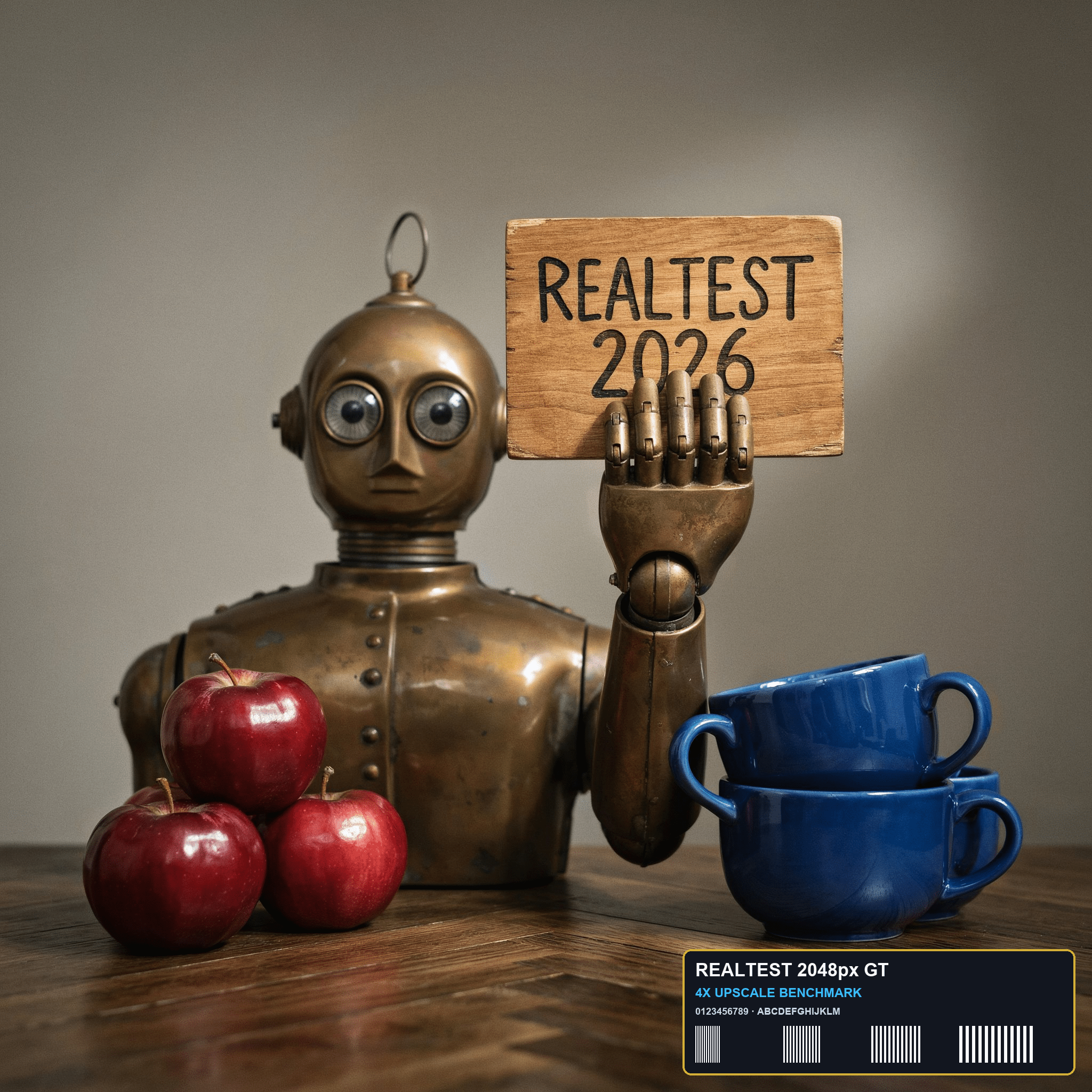
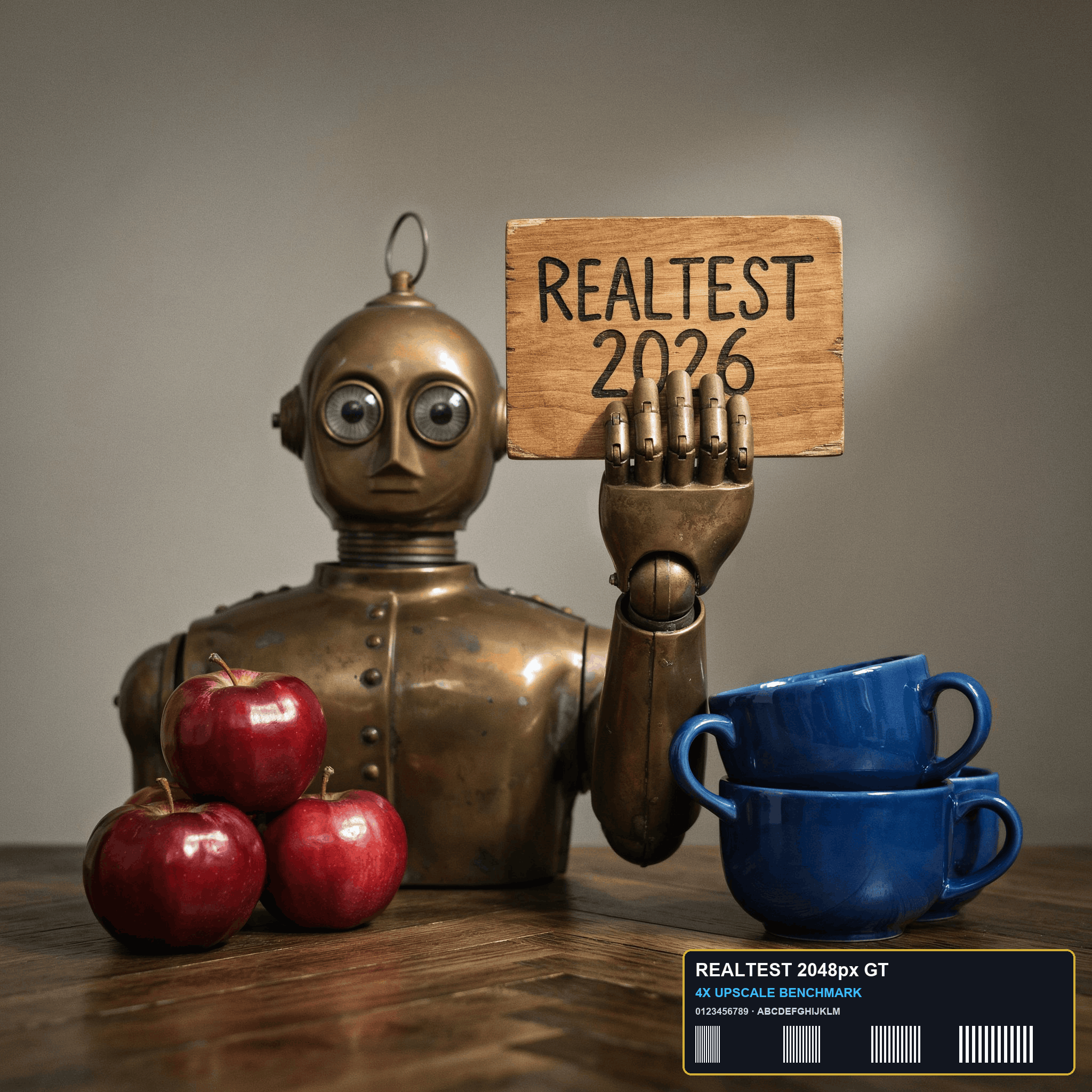
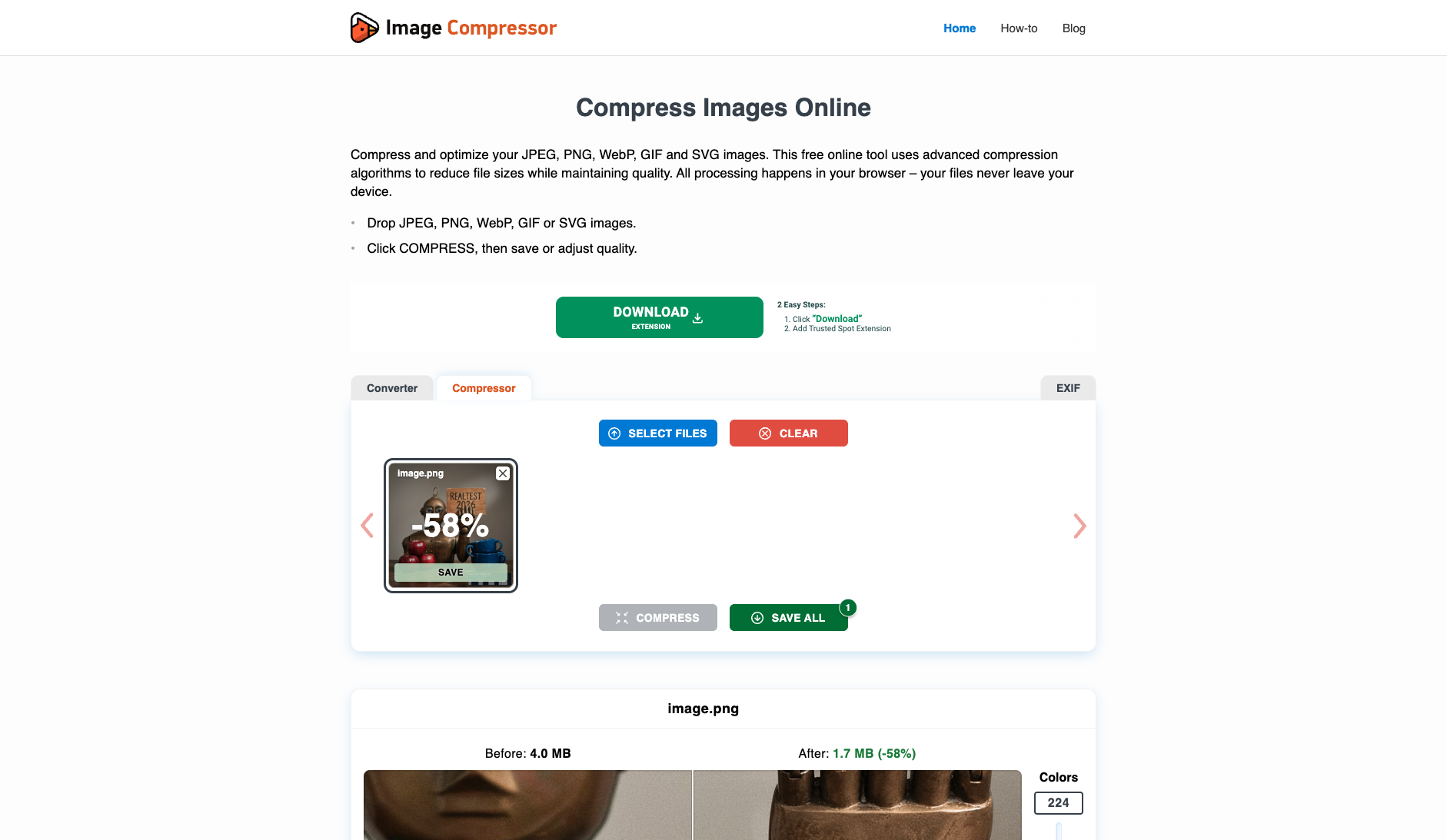
| Original historical observation | Nero AI Image Compressor shrinks the 4,237,170-byte (2048×2048) anchor PNG to 2,129,766 bytes (-49.74%) in High mode while maintaining native PNG format and 38.19 dB PSNR / 0.9979 SSIM. | Optimizilla (imagecompressor.com) shines with its interactive Before/After comparison canvas and 'Colors: 224' fine-tuning slider, shrinking our 4.14 MB anchor by 57.64% to 1.75 MB at PSNR=38.98 dB; however, users must watch out for two green 'DOWNLOAD EXTENSION' fake download ad banners directly above and below the workspace (01_landing.png, 02_workspace.png). |
| Suitable uses · historical assessment | Users already in the Nero AI ecosystem who want high-PSNR (38.19 dB) PNG compression up to 50 MB / 16 MP with adjustable High/Low/Custom levels | Users who want to manually fine-tune PNG palette color counts (2–256 colors) with a live Before/After preview—provided they avoid the fake 'DOWNLOAD EXTENSION' ad banners |
| Result & output evidence | ||
| Delivery capabilities | ||
| Recorded export specifications | 2048 × 2048 · PNG · No watermark in test | 2048 × 2048 · PNG · No watermark in test |
| Historical specification note · not an official maximum | 2048×2048 (native PNG format preserved, watermark-free export) | 2048×2048 (no-login native-resolution watermark-free PNG direct export) |
| Watermark observation | Watermark-free | Watermark-free |
| Batch & API | Supports multi-file batch upload and REST API | Supports multi-image batch compression in browser; no developer API |
| Recorded free-tier dimensions | 2048 × 2048 | 2048 × 2048 |
| Attached file dimensions | 2048 × 2048 · PNG | 2048 × 2048 · PNG |
| Speed & reliability | ||
| Timing observation | Network-observed server wait: 6.56s · End-to-end reference: 15.36s | Recorded local processing time: 11.88s · End-to-end reference: 11.88s |
| Date & fixture | 2026-10-23 · anchor_compress_v1 · US-West (California, AS2914) | 2026-10-18 · anchor_compress_v1 · US-West (California, AS2914) |
| Repeated tests & reliability | No standardized repetition count, success rate or variability range is recorded. | No standardized repetition count, success rate or variability range is recorded. |
| Interaction experience | ||
| Account requirements | No login in this test | No login in this test |
| Sign-in methods | Supports guest trial quota and Google / Email account login with daily free Nero Credits | No login required (no account system on the site) |
| Manual adjustment | Not verified | Not verified |
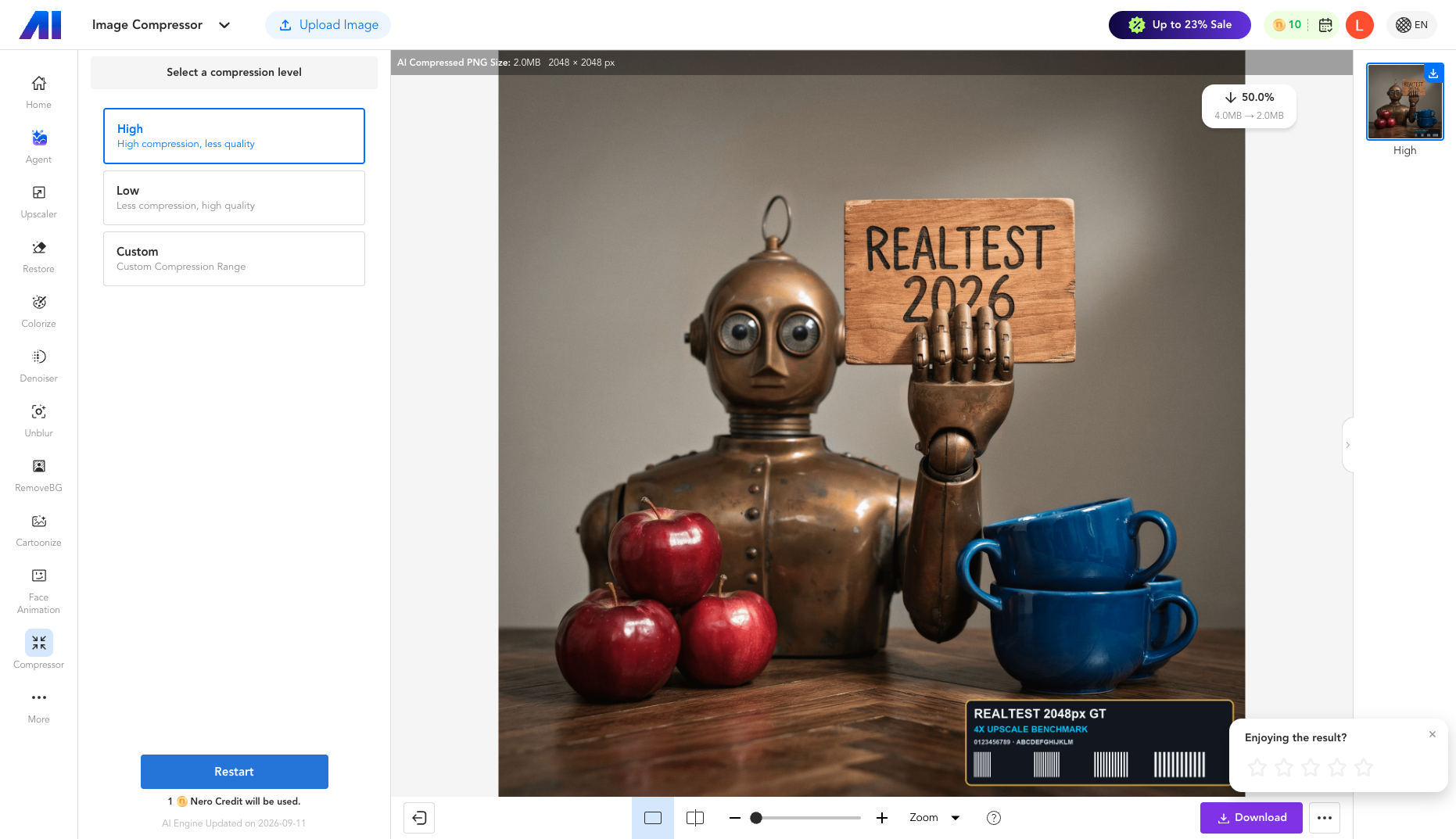
| Interaction observations | Provides a clean before/after zoom workspace showing "4.0MB → 2.0MB (-50.0%)" and exports the native 2048×2048 watermark-free PNG directly upon clicking Download (03_download.png). | While there are no sign-up walls, the workspace is flanked top and bottom by deceptive green 'DOWNLOAD EXTENSION / Click "Download" -> Add Trusted Spot Extension' ad banners, and a full-screen Google AdSense overlay (#aswift_3) intercepted the initial COMPRESS click (01_landing.png, 02_workspace.png). |
| Background & reputation | ||
| Service lifecycle notice | Not verified | Not verified |
| Operator | Nero AG | Optimizilla / ImageCompressor.com |
| Recorded origin | Karlsruhe, Germany | Independent European Web Utility (Launched 2014) |
| Domain history record | Founded 1995 (Nero Burning ROM / Nero AI Suite) | 2014–Present (12-year image compression benchmark) |
| Background & reputation assessment | Developed by Nero AG (Karlsruhe, Germany; founded in 1995), a long-established multimedia software company operating the Nero AI web and mobile suite. | Operating since 2014 under the Optimizilla brand, ranking among the highest-traffic search destinations for online image compression. |
| External reputation record | Not verified | Not verified |
| Engineering & privacy | ||
| Processing location | Uploaded for cloud processing | On-device processing |
| Third-party tracking record | No third-party services listed in this record; this is not proof that none exist. | Not verified |
| Engineering & privacy assessment | HTTPS upload to ai.nero.com/api/v2/file/upload followed by asynchronous task polling (/api/v2/task/status, 6.56s server wait) and native PNG Blob export. | Modernized architecture runs 100% local in-browser WebAssembly palette quantization ('All processing happens in your browser'), so user photos are never uploaded to a remote server. |
| Retention statement | Explicit retention period unconfirmed; inspect policy record | This flow runs locally; post-close deletion not independently verified |
| Evaluation basis | ||
| Pricing transparency | 29 / 35 Landing page clearly states "Free: up to 16 MP & 50 MB per image" (01_landing.png); after uploading the 4.04 MB (2048×2048) anchor PNG, the workspace explicitly discloses "1 Nero Credit will be used" before clicking Start and offers High / Low / Custom compression levels (02_result.png). | 32 / 35 100% free across the entire site with zero paywalls or subscription prompts; uploading the 4.14 MB (2048×2048) anchor image and clicking COMPRESS immediately unlocks the SAVE ALL export button without login (01_landing.png, 02_workspace.png, 03_download.png). |
| Interaction restraint | 26 / 30 Provides a clean before/after zoom workspace showing "4.0MB → 2.0MB (-50.0%)" and exports the native 2048×2048 watermark-free PNG directly upon clicking Download (03_download.png). | 20 / 30 While there are no sign-up walls, the workspace is flanked top and bottom by deceptive green 'DOWNLOAD EXTENSION / Click "Download" -> Add Trusted Spot Extension' ad banners, and a full-screen Google AdSense overlay (#aswift_3) intercepted the initial COMPRESS click (01_landing.png, 02_workspace.png). |
| Background & reputation | 19 / 20 Developed by Nero AG (Karlsruhe, Germany; founded in 1995), a long-established multimedia software company operating the Nero AI web and mobile suite. | 18 / 20 Operating since 2014 under the Optimizilla brand, ranking among the highest-traffic search destinations for online image compression. |
| Engineering & privacy | 13 / 15 HTTPS upload to ai.nero.com/api/v2/file/upload followed by asynchronous task polling (/api/v2/task/status, 6.56s server wait) and native PNG Blob export. | 14.5 / 15 Modernized architecture runs 100% local in-browser WebAssembly palette quantization ('All processing happens in your browser'), so user photos are never uploaded to a remote server. |
| Task quality | 59 / 65 Compresses the 4,237,170-byte (4,137.9 KB) 2048×2048 PNG down to 2,129,766 bytes (2,079.8 KB, -49.74%, 1.99× ratio) in High mode while preserving native PNG format, achieving PSNR = 38.19 dB and SSIM = 0.9979 (59.0/65) | 59.5 / 65 Default 224-color PNG palette quantization shrinks the 4,137.9 KB anchor down to 1,752.7 KB (-57.64%, 2.36× ratio) at PSNR = 38.98 dB and SSIM = 0.9983, with an interactive 2–256 Colors slider and live Before/After canvas preview (59.5/65) |
| Deliverable specifications | 18 / 20 Preserves full 2048×2048 resolution and native PNG container without watermarks, requiring 1 free Nero Credit per task (18.0/20) | 20 / 20 Preserves 100% of the 2048×2048 pixel dimensions and native PNG format without watermarks or login requirements (20.0/20) |
| Processing speed | 12 / 15 Single-sample network timing: 5.44s upload + 6.56s server async task processing (15.36s end-to-end) (12.0/15) | 10.5 / 15 Local browser 224-color palette quantization on the 2048×2048 PNG takes ~11.88s and requires clicking COMPRESS followed by SAVE ALL (10.5/15) |